6 Gaming Monitor Buying Tips That Could Save You Money
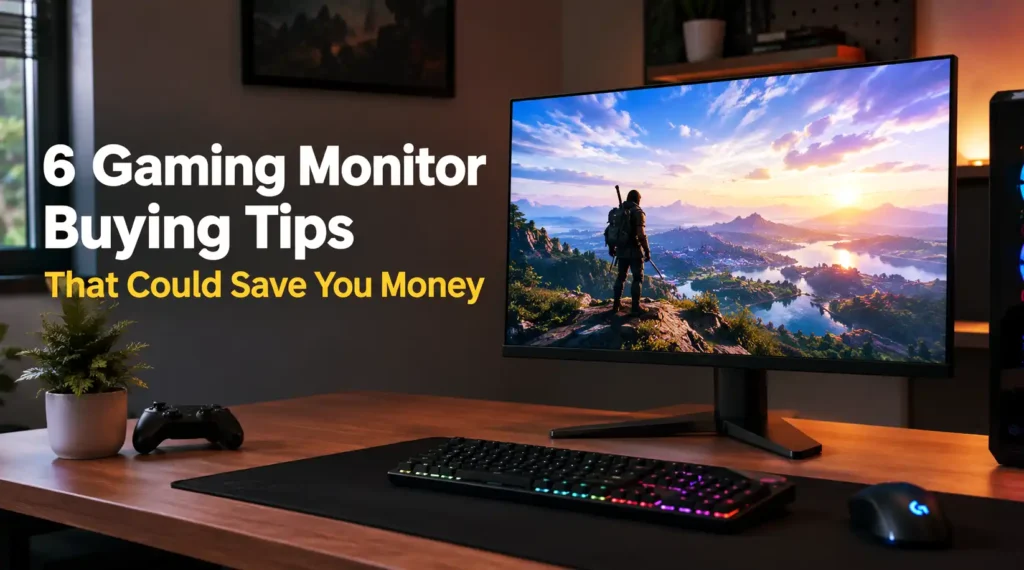
Gaming monitor setup illustration featuring smart buying tips for better performance and budget savings.
A good gaming monitor can make your favorite games look sharper, feel smoother, and become much more enjoyable to play. However, finding the right one isn’t always easy, especially when manufacturers advertise impressive specifications that sound essential but might not make a noticeable difference to your gaming experience. With prices ranging from affordable entry-level models to expensive premium displays, it’s easy to spend more money than necessary.
The good news? You don’t need the most expensive gaming monitor to enjoy excellent visuals and responsive gameplay. The trick is understanding which features actually matter, which ones are worth paying extra for, and which ones you can safely skip. A little research before buying can help you avoid paying for specifications that don’t match your needs.
Your ideal monitor also depends on the games you play and the hardware you already own. Someone who spends hours playing competitive shooters might prioritize a high refresh rate, while someone who enjoys open-world adventures may care more about resolution, color quality, and immersive visuals. Buying a monitor without considering these differences is a bit like purchasing racing tires for a car you only drive around town.
In this guide, we’ll explore six practical gaming monitor buying tips that could save you money without forcing you to sacrifice the features that matter most. From choosing the right resolution to avoiding unnecessary premium features, these tips will help you make a smarter purchase and get better value for your gaming budget.
Understanding What Matters Before Buying a Gaming Monitor
Before comparing prices or adding a monitor to your shopping cart, take a moment to consider how you actually use your gaming setup. Think about your favorite game genres, your computer’s graphics capabilities, your available desk space, and the amount you’re comfortable spending. These details can help you narrow down your options and avoid paying for features that won’t improve your everyday experience.
It’s also worth remembering that a higher price doesn’t automatically mean a better purchase. A well-chosen budget monitor can deliver excellent performance, while an expensive model might offer features you barely notice. The goal is to find a display that balances image quality, responsiveness, connectivity, and reliability at a price that makes sense for you.
6 Smart Ways to Save on a Gaming Monitor
1. Choose the Right Resolution for Your Gaming Setup
Resolution is one of the first specifications you’ll encounter when shopping for a gaming monitor. Full HD (1920 × 1080), QHD (2560 × 1440), and 4K UHD (3840 × 2160) are among the most common options. Although a higher resolution generally produces sharper images, it also increases the demands on your graphics card. Choosing the right resolution means balancing visual quality, gaming performance, and your budget rather than automatically picking the highest number.
For many budget-conscious gamers, Full HD remains a practical option, particularly on smaller screens and with entry-level graphics cards. QHD can offer a noticeable improvement in sharpness, especially on 27-inch monitors, while 4K is more attractive for powerful gaming PCs and players who prioritize detailed visuals. Before spending extra money on a high-resolution display, consider whether your computer can run your favorite games smoothly at that resolution.
2. Don’t Pay Extra for a Refresh Rate You Don’t Need
Refresh rate, measured in hertz (Hz), determines how many times a monitor can update its image per second. A 60Hz display refreshes up to 60 times per second, while a 144Hz monitor can refresh up to 144 times per second. Higher refresh rates can make movement appear smoother and improve the overall feel of gameplay, especially in fast-paced titles. However, those benefits don’t mean every gamer needs a 240Hz or 360Hz monitor.
If you mainly play single-player adventures, simulation games, strategy titles, or casual games, a reasonably priced 144Hz or 165Hz monitor may already provide an excellent experience. Competitive players who regularly play fast-paced shooters may benefit more from higher refresh rates, provided their hardware can produce enough frames per second. Instead of paying a premium for the highest refresh rate available, choose a model that suits your games, performance targets, and budget.
3. Compare Panel Types Before Paying for Premium Image Quality
Gaming monitors commonly use IPS, VA, or OLED panels, and each technology offers different strengths. IPS panels are popular for their balanced colors and wide viewing angles, making them suitable for a variety of games. VA panels typically provide deeper contrast, which can make dark scenes in horror games and cinematic adventures look more immersive. OLED displays offer excellent contrast and near-instantaneous pixel response, but they usually cost more than conventional LCD monitors.
You can save money by choosing a panel that matches your priorities instead of automatically buying the most expensive technology. If you play competitive games or use your monitor for everyday tasks, an affordable IPS model may be more than enough. If you prefer atmospheric games and deeper blacks, a VA monitor could offer better value. OLED is worth considering if its image quality is a major priority and your budget allows it, but don’t feel pressured to pay extra simply because it’s considered a premium option.
You can also improve your gaming setup and everyday convenience with these 7 Smart Plugs to Make Your Home Electronics Smarter, which can help you control compatible devices more easily.
4. Look for Adaptive Sync Instead of Paying for Marketing Hype
Adaptive sync technologies help synchronize a monitor’s refresh rate with your graphics card’s frame output, reducing screen tearing and making gameplay feel smoother when frame rates fluctuate. You may encounter names such as AMD FreeSync and NVIDIA G-SYNC while comparing gaming monitors. Although their implementations and capabilities differ, both aim to improve the gaming experience by helping the display keep pace with your GPU.
Before spending extra on a monitor because it advertises a particular synchronization brand, check its actual specifications. Many affordable monitors support FreeSync, and some are also compatible with NVIDIA graphics cards through G-SYNC Compatible mode. Check the supported refresh-rate range, connection requirements, and compatibility with your hardware. A monitor with reliable adaptive sync can be a smarter purchase than a more expensive model whose premium branding doesn’t provide a meaningful advantage for your setup.
5. Avoid Paying for Features You Probably Won’t Use
Gaming monitors often include features such as RGB lighting, built-in speakers, elaborate stands, USB hubs, and specialized gaming presets. Some are genuinely useful, but others can increase the price without improving your actual gaming experience. For example, if you already own a headset or desktop speakers, paying extra for built-in monitor speakers may offer little value. Likewise, elaborate lighting can look attractive in product photos but won’t make your games run more smoothly.
Focus on practical features that you’ll use regularly. Height adjustment, tilt controls, and a VESA mounting pattern can improve comfort and flexibility, while sufficient HDMI or DisplayPort connectivity can make connecting your devices easier. If your desk setup already includes a monitor arm, you may not need to pay extra for a premium stand. The idea isn’t to avoid every additional feature; it’s to spend your money on features that solve real problems rather than decorative extras.
6. Compare Total Value, Warranty, and Long-Term Costs
A monitor’s advertised price doesn’t always tell the whole story. One model might look cheaper initially but offer a shorter warranty, limited connectivity, or a stand that forces you to buy additional accessories. Another might cost slightly more but include the adjustments, ports, and protection you need. Comparing the overall package can help you identify the option that offers the best value rather than simply choosing the lowest number on the price tag.
Before purchasing, compare prices across reputable retailers and check the warranty terms, return policy, and availability of local support. Look for seasonal discounts, clearance sales, and previous-generation models, which can sometimes deliver excellent performance for less money. Refurbished or open-box monitors may also be worth considering when sold by a trustworthy retailer with clear warranty coverage. Just inspect the condition carefully, particularly the screen, and avoid deals that leave you without meaningful protection if something goes wrong.
How to Choose the Best Gaming Monitor for Your Budget
Choosing a gaming monitor becomes much easier when you set a realistic budget and identify your priorities before browsing products. Start with the specifications that matter most to your gaming habits, such as resolution, refresh rate, and panel type. Then compare models within your price range instead of stretching your budget for features you may never use. A monitor that delivers stable performance and comfortable visuals is often a better investment than one with impressive specifications but unnecessary extras.
It also helps to consider your future needs without overbuying today. If you plan to upgrade your graphics card later, a QHD monitor with a high refresh rate might make sense, provided the additional cost fits your budget. However, if your current PC struggles to run games smoothly at higher resolutions, buying an expensive 4K display may not deliver the experience you expect. Match your monitor to your actual setup, and you’ll be less likely to replace it prematurely.
Common Gaming Monitor Buying Mistakes to Avoid
One common mistake is focusing on a single specification while ignoring the rest of the monitor. A high refresh rate sounds impressive, but it won’t automatically compensate for poor response-time performance, an unsuitable resolution, or disappointing image quality. Similarly, choosing the cheapest monitor without checking its connectivity, ergonomics, and warranty can lead to extra expenses later. Always evaluate the complete package instead of making a decision based on one attractive number.
Another mistake is assuming that every gaming monitor marketed toward enthusiasts is worth its premium price. Features such as extremely high refresh rates, advanced HDR performance, and OLED panels can be valuable, but their benefits depend on your games, hardware, and preferences. Read independent reviews, compare real-world performance, and check the manufacturer’s specifications before buying. A little patience can help you avoid paying more for marketing claims than for meaningful improvements.
Conclusion
Buying a gaming monitor doesn’t have to drain your wallet. By choosing the right resolution, selecting a suitable refresh rate, comparing panel technologies, checking adaptive sync support, avoiding unnecessary extras, and evaluating the total value, you can find a display that fits your needs without overspending. The key is to understand which features will genuinely improve your gaming experience and which ones are simply nice to have.
Remember that the best monitor isn’t necessarily the most expensive one or the model with the longest list of specifications. It’s the one that works well with your hardware, suits your favorite games, and stays within your budget. Take your time comparing options, look for reliable deals, and don’t let impressive marketing convince you to buy features you don’t need.
Ultimately, smart gaming monitor shopping is about getting the right performance for your money, not spending the most money for the sake of performance. Make your priorities clear before you buy, and you’ll be much more likely to enjoy your new display without regretting the price.
FAQs
1. Is a 144Hz gaming monitor worth buying on a budget?
Yes, a 144Hz gaming monitor can be an excellent budget-friendly choice because it provides noticeably smoother motion than a traditional 60Hz display. It’s particularly useful for competitive games and fast-paced action titles. However, make sure your PC can produce enough frames per second to take advantage of the higher refresh rate.
2. Should I buy a 1080p or 1440p gaming monitor?
Choose 1080p if affordability and high frame rates are your main priorities, especially if you have an entry-level graphics card or prefer smaller screens. A 1440p monitor offers sharper visuals, particularly at 27 inches, but usually costs more and requires additional GPU performance. Your budget and hardware should guide your decision.
3. Are expensive gaming monitors always better?
No. More expensive monitors may offer better image quality, higher refresh rates, improved HDR, or additional connectivity, but those features might not matter to every gamer. An affordable monitor with the right specifications can provide excellent performance without unnecessary expenses.
4. Is IPS better than VA for gaming?
Neither panel type is universally better. IPS monitors generally offer consistent colors and wide viewing angles, while VA panels typically provide higher contrast and deeper blacks. IPS can be a good all-round choice, whereas VA may appeal to gamers who prefer darker, more cinematic visuals. Compare individual models because performance varies between monitors.
5. Can I save money by buying a refurbished gaming monitor?
Yes, buying refurbished or open-box equipment from a reputable seller can reduce the purchase price. However, check the screen for dead pixels, scratches, uneven brightness, and other defects, and confirm the return policy and warranty coverage. A small discount may not be worthwhile if the seller provides little protection against problems.