11 Recommended Game Controllers for PC and Laptop Gaming
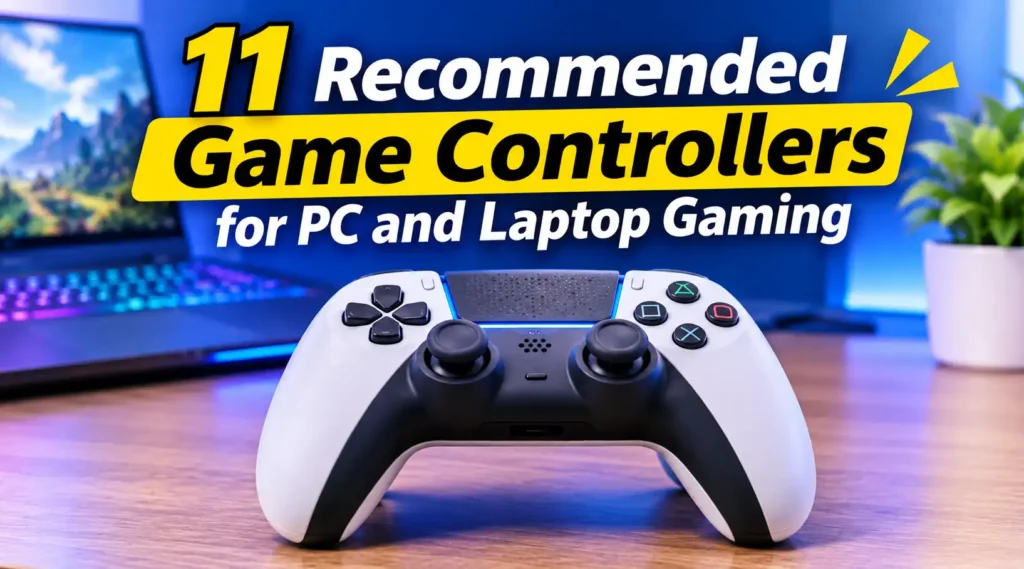
PC and laptop gaming controller illustration featuring a modern wireless gamepad for a better gaming experience.
Playing games on a PC or laptop with a keyboard and mouse is perfectly fine, especially when you’re dealing with strategy games, shooters, or titles that require precise cursor movements. However, not every game feels comfortable with that setup. Racing games, platformers, fighting games, sports titles, and action-adventure games often feel much more natural when played with a dedicated game controller.
That’s where a good PC game controller comes in. Instead of constantly reaching for different keys, you can enjoy familiar buttons, responsive analog sticks, and comfortable triggers designed specifically for gaming. Whether you’re exploring a massive open world, drifting around racing circuits, or fighting enemies in an action RPG, a controller can make the experience feel more intuitive.
Fortunately, you don’t need an expensive gaming console to enjoy a great controller experience. Many modern gamepads work with Windows PCs and laptops through USB, Bluetooth, or wireless adapters. Some even offer customizable buttons, adjustable triggers, vibration feedback, and additional software features that let you personalize how they work.
But with so many options available, which one should you actually buy? From affordable everyday controllers to premium models designed for serious gamers, here are 11 recommended game controllers for PC and laptop gaming worth considering.
What Is a Game Controller for PC Gaming?
A game controller for PC gaming is an input device that allows you to play computer games using physical buttons, analog sticks, triggers, and directional pads instead of relying entirely on a keyboard and mouse. Most controllers follow a familiar gamepad design, making them easy to understand even if you’ve never used one with a computer before. Depending on the model, they can connect through a USB cable, Bluetooth, or a dedicated wireless receiver.
Modern PC controllers also offer more than just basic button inputs. Some models include vibration motors, motion controls, programmable buttons, adjustable trigger sensitivity, and software for customizing button layouts. While traditional gamepads are designed primarily for comfort and simplicity, advanced controllers provide additional options for players who want greater control over their gaming experience.
Why Should You Use a Game Controller for PC and Laptop Gaming?
One of the biggest reasons to use a controller is comfort. Holding a gamepad allows your hands to rest in a more natural position, which can make longer gaming sessions feel less tiring compared to constantly reaching across a keyboard. Controllers are particularly useful for games originally designed around console controls, where analog movement and pressure-sensitive triggers can make certain actions feel more natural.
Another advantage is portability and flexibility. A wireless controller lets you play from your couch, bed, or gaming chair without sitting directly in front of your computer. You can also switch between supported devices without necessarily changing your entire gaming setup. For anyone who enjoys different genres, having a controller alongside a keyboard and mouse gives you more freedom to choose the control method that works best for each game.
11 Recommended Game Controllers for PC and Laptop Gaming
Choosing the right controller can make a noticeable difference in how you enjoy PC and laptop games. Some gamepads focus on simplicity and affordability, while others offer premium materials, customizable controls, and advanced wireless connectivity. Here are 11 recommended options worth considering, each with its own strengths for different gaming preferences.
1. Xbox Wireless Controller
The Xbox Wireless Controller is one of the safest choices for PC and laptop gamers who want a comfortable, reliable, and straightforward gamepad. Its familiar layout includes two analog sticks, a responsive D-pad, four main action buttons, and comfortable triggers. Microsoft designed this controller with Xbox consoles in mind, but it also works exceptionally well with Windows PCs. Many PC games recognize it automatically, making setup relatively simple without requiring complicated configuration.
Another advantage is its flexible connectivity. You can connect it through USB-C, Bluetooth, or a compatible Xbox Wireless Adapter, depending on your setup. Its ergonomic shape also makes it comfortable for different hand sizes and longer gaming sessions. Although it doesn’t include some advanced features found on premium controllers, its reliable performance, broad game compatibility, and familiar button layout make it an excellent everyday option.
2. Sony DualSense Wireless Controller
The Sony DualSense Wireless Controller brings several interesting features to PC gaming, particularly for players who enjoy immersive single-player experiences. Its most distinctive features are adaptive triggers and advanced haptic feedback. Adaptive triggers can change their resistance depending on what’s happening in a supported game, while haptic feedback provides more detailed vibration sensations than traditional rumble motors. These features can make actions such as firing weapons, driving vehicles, or interacting with objects feel more engaging.
DualSense connects to a PC through USB-C or Bluetooth, although feature availability depends on individual games and software support. Steam also provides controller configuration options that make it easier to customize button layouts and manage supported features. Its comfortable design, responsive controls, and built-in motion sensor make it an attractive choice for gamers who want something beyond a conventional gamepad. However, not every PC game supports its advanced features, so compatibility is worth checking before purchasing.
3. Xbox Elite Wireless Controller Series 2
For players who want more customization and a premium gaming experience, the Xbox Elite Wireless Controller Series 2 is a compelling option. Unlike standard gamepads, this controller includes interchangeable thumbsticks, adjustable stick tension, customizable paddles, and trigger locks. These features allow players to configure the controller according to their preferred gaming style. For example, additional rear paddles can handle important actions without forcing you to move your thumbs away from the analog sticks.
Its adjustable components make it particularly appealing for competitive shooters, racing games, and action titles that demand quick reactions. You can also save different control profiles and switch between them depending on the game you’re playing. Premium materials and a rechargeable battery add to its appeal, although its higher price makes it less attractive for casual gamers. If you regularly play games and want greater control over every input, this controller offers plenty of flexibility.
4. 8BitDo Ultimate 2 Wireless Controller
The 8BitDo Ultimate 2 Wireless Controller is an excellent option for gamers who appreciate customization without necessarily spending as much as they would on some premium first-party controllers. Its design combines a familiar gamepad layout with additional features aimed at improving responsiveness and comfort. Depending on the version and connection mode, it offers wireless connectivity, customizable controls, and additional rear buttons that can be assigned to frequently used actions.
One particularly appealing feature is its use of Hall Effect technology in the analog sticks, which helps reduce the traditional mechanical wear associated with conventional stick sensors. It also supports software customization through 8BitDo’s configuration tools, allowing you to adjust button assignments and other settings. Its compatibility and included accessories depend on the specific Ultimate 2 package, so check the exact model before buying. Overall, it’s a strong choice for players looking for a feature-rich controller with plenty of personalization options.
5. Sony DualShock 4 Wireless Controller
The Sony DualShock 4 Wireless Controller remains a practical choice for PC gamers who prefer a familiar PlayStation-style layout without spending too much. Originally designed for the PlayStation 4, this controller features two analog sticks, a responsive D-pad, comfortable shoulder buttons, and a built-in touchpad. Its symmetrical analog stick arrangement makes it particularly appealing to players who have spent years using PlayStation controllers. Despite being an older model, its overall design still feels comfortable for many modern PC games.
You can connect the DualShock 4 to a PC through a USB cable or Bluetooth, although some games may require Steam Input or additional configuration software for proper button recognition. It also includes motion sensors, a built-in speaker, and a light bar that supported games can use for additional feedback. While it lacks the advanced adaptive triggers found in newer controllers, its familiar controls and comfortable shape make it a worthwhile option, especially if you can find one at a reasonable price.
For gamers looking for a powerful laptop to enjoy demanding titles, 9 Best Gaming Laptops With RTX 3060 for Performance and Value highlights several options worth considering.
6. GameSir G7 SE Wired Controller
The GameSir G7 SE is designed for gamers who want reliable wired connectivity and additional control features without paying for a premium wireless gamepad. Its most notable feature is the use of Hall Effect analog sticks, which rely on magnetic sensing rather than traditional physical contact. This technology helps reduce mechanical wear and can minimize the risk of stick drift over time. For players who regularly use analog sticks in racing games, platformers, and shooters, this is an appealing advantage.
Another useful feature is its customizable control layout through GameSir software, which allows you to adjust certain settings according to your preferences. It also includes additional rear buttons, textured grips, and vibration motors for a more engaging experience. Since it’s a wired controller, you don’t have to worry about battery life or wireless interference during long gaming sessions. Its cable does limit movement compared with wireless alternatives, but that trade-off may be worthwhile if you prioritize a stable connection and consistent performance.
7. Logitech F310 Gamepad
If you’re looking for a simple and inexpensive controller, the Logitech F310 Gamepad is worth considering. Its design resembles traditional console controllers, with two analog sticks, a D-pad, shoulder buttons, and four main action buttons. One of its most useful features is the switch between XInput and DirectInput modes, allowing it to work with different games and software configurations. XInput is particularly useful for many modern Windows games, while DirectInput can help with older titles that use a different input standard.
Its wired USB connection makes setup straightforward because you don’t need Bluetooth pairing, wireless receivers, or battery charging. Logitech also provides a familiar button layout that makes it relatively easy to use, especially for players who are new to PC controllers. However, its lightweight plastic construction and basic analog sticks don’t feel as premium as more expensive alternatives. It also lacks vibration feedback, which may disappoint players who enjoy additional in-game sensations. Nevertheless, its affordability and simple functionality make it a reasonable choice for casual gaming.
8. Nintendo Switch Pro Controller
The Nintendo Switch Pro Controller is another excellent gamepad that can work with PC and laptop gaming setups. Although originally designed for the Nintendo Switch, its ergonomic shape, comfortable grips, and responsive buttons make it suitable for extended gaming sessions. Unlike smaller controllers, its full-sized design provides plenty of room for your hands, while the analog sticks and shoulder buttons offer familiar controls for action games, platformers, and racing titles.
You can connect it to a Windows PC through Bluetooth or USB, although some games may require Steam Input or button configuration adjustments. Its battery life is another attractive feature, making it convenient for players who prefer wireless gaming without frequent charging. However, its Nintendo-style button arrangement differs from Xbox and PlayStation controllers, so you may need some time to adjust. Certain PC games also display Xbox button prompts rather than Nintendo layouts. Despite these minor inconveniences, its comfortable design and dependable wireless performance make it a solid alternative for PC gamers.
9. Razer Wolverine V2 Chroma
The Razer Wolverine V2 Chroma is designed for gamers who want a feature-rich controller with plenty of customization options. One of its most noticeable features is its customizable RGB lighting, which can add a more personalized appearance to a gaming desk. Beyond its visual appeal, this controller includes six additional multifunction buttons that players can assign to frequently used commands. These extra controls can be particularly useful in competitive games where quick access to certain actions makes a difference.
Its mechanical tactile action buttons provide satisfying feedback, while the ergonomic grips help maintain a comfortable hold during extended sessions. Razer also provides customization software that allows users to adjust button assignments and lighting effects. However, this model uses a wired USB connection, meaning you’ll need to keep your PC or laptop relatively close. Its premium pricing may also be difficult to justify for casual players. Still, gamers who appreciate customizable controls, responsive buttons, and RGB aesthetics may find it an appealing addition to their setup.
10. GameSir T4 Kaleid
For gamers who enjoy distinctive designs, the GameSir T4 Kaleid offers something different from conventional black or white gamepads. Its transparent shell reveals parts of the internal components, while customizable RGB lighting gives it an eye-catching appearance. However, its appeal isn’t limited to aesthetics. This controller also features Hall Effect analog sticks, which use magnetic sensors to detect movement without the traditional physical contact found in conventional stick mechanisms.
The T4 Kaleid includes responsive buttons, motion controls, vibration feedback, and software customization options. Its wired USB connection provides a consistent connection without requiring batteries or wireless pairing. This makes it suitable for players who prefer a straightforward setup and don’t mind using a cable. Its transparent design may not appeal to everyone, but it certainly stands out among ordinary gamepads. If you want a controller that combines modern input technology with a visually interesting design, the T4 Kaleid is worth considering.
11. Sony DualSense Edge Wireless Controller
The Sony DualSense Edge Wireless Controller is a premium alternative for gamers who want more control over how their gamepad behaves. Based on the standard DualSense design, it retains adaptive triggers and haptic feedback while introducing several additional customization features. Players can adjust trigger travel, change stick sensitivity, customize button assignments, and create multiple control profiles. These options are especially useful for people who regularly switch between different game genres and prefer different control settings for each experience.
Another standout feature is its interchangeable stick modules, which allow users to replace worn components without replacing the entire controller. It also includes additional rear buttons and different stick caps to accommodate individual preferences. PC connectivity is available through USB-C and Bluetooth, although advanced features depend on game and software support. Its premium price and relatively shorter battery life compared with some competitors are worth considering before purchasing. Nevertheless, players who want a highly customizable controller with immersive feedback will find plenty to appreciate.
What to Consider Before Buying a PC Game Controller?
Buying a game controller isn’t simply about choosing the most expensive model or picking one with the most buttons. Your preferred games, hand comfort, connection options, and budget all influence which controller will work best. Before making a purchase, consider the following factors to avoid ending up with a gamepad that doesn’t match your gaming habits.
1. Compatibility with Windows and Your Favorite Games
Compatibility should be one of your first considerations when choosing a controller for PC gaming. Many modern gamepads support Windows through XInput, which is widely recognized by contemporary PC games. Some controllers also support DirectInput, Bluetooth input standards, or additional configuration software for broader compatibility. Checking whether your favorite games support a particular controller can help prevent frustrating setup problems.
2. Wired or Wireless Connectivity
Wired controllers offer a straightforward connection, consistent input transmission, and no battery concerns. Wireless controllers, on the other hand, provide greater freedom to play from different positions without keeping your laptop or desktop within cable reach. Bluetooth is convenient, although dedicated wireless receivers can offer another connection option depending on the model. Choose whichever setup better suits your gaming space and preferences.
3. Comfort, Build Quality, and Battery Life
Comfort becomes increasingly important when you regularly play games for several hours. Look for a controller with an ergonomic shape, comfortable grips, responsive buttons, and analog sticks that feel natural in your hands. Build quality also matters because frequently used buttons and sticks can experience wear over time. For wireless models, consider battery life and charging options so your gaming sessions aren’t interrupted unexpectedly.
4. Extra Features and Customization
Additional features can make a controller more versatile, especially if you enjoy experimenting with different control configurations. Programmable rear buttons, adjustable triggers, Hall Effect sticks, vibration feedback, and customizable profiles are useful features worth considering. However, not everyone needs them. If you mostly play casual games, a basic controller may provide everything you need without paying extra for features you rarely use.
How to Choose the Best Game Controller for Your Gaming Style
Choosing a controller becomes much easier when you start with the types of games you play most often. Different genres benefit from different control features, so there’s no single gamepad that automatically works best for everyone. For example, racing games benefit from responsive analog triggers, while fighting games often require a comfortable D-pad and accurately positioned action buttons. Competitive shooters may benefit from additional rear buttons and customizable stick sensitivity, whereas casual adventure games usually work perfectly well with a standard controller.
Your budget and preferred gaming setup should also influence your decision. If you primarily play at a desk, a wired controller such as the GameSir G7 SE or Logitech F310 can be a practical option. However, if you prefer playing from a couch or another comfortable position, wireless models such as the Xbox Wireless Controller, DualSense, or Nintendo Switch Pro Controller offer greater flexibility. You should also consider whether you want advanced customization or simply a reliable gamepad that works without much configuration.
Best Controllers for Different Gaming Needs
- Best overall: Xbox Wireless Controller for its comfortable design and broad Windows compatibility.
- Best immersive experience: Sony DualSense Wireless Controller for adaptive triggers and haptic feedback in supported games.
- Best premium option: Xbox Elite Wireless Controller Series 2 for its customizable components and additional controls.
- Best budget option: Logitech F310 for straightforward wired gaming.
- Best Hall Effect option: GameSir G7 SE for magnetic analog sticks and reliable wired connectivity.
- Best customization: 8BitDo Ultimate 2 Wireless Controller for its versatile controls and configuration options.
Are Expensive Game Controllers Worth Buying?
Expensive game controllers can be worthwhile if you regularly play games and genuinely benefit from their additional features. Premium models often provide better customization, interchangeable components, additional buttons, improved build materials, and more sophisticated feedback systems. For example, the Xbox Elite Wireless Controller Series 2 and DualSense Edge offer features that can help experienced players create control layouts suited to their individual preferences. These improvements may become particularly noticeable in competitive games or during long gaming sessions.
However, spending more money doesn’t automatically guarantee a better gaming experience. A basic controller can still provide excellent performance for casual gaming, platformers, racing games, and many action-adventure titles. Models such as the Logitech F310 offer simple functionality without unnecessary extras, while the standard Xbox Wireless Controller provides a comfortable experience at a more accessible price than premium alternatives. Ultimately, choose a controller based on features you’ll actually use rather than paying extra for specifications that look impressive on paper.
Can You Use Console Controllers on a Windows PC or Laptop?
Yes! Many console controllers can also work with Windows PCs and laptops, even if they weren’t originally designed for computer gaming. Xbox controllers generally offer particularly straightforward compatibility because many Windows games already support Microsoft’s XInput standard. PlayStation controllers, including DualShock 4 and DualSense models, can also connect through USB or Bluetooth, although certain games may require Steam Input or additional configuration to recognize their buttons correctly.
Nintendo Switch controllers and other third-party gamepads can also work with Windows, depending on their supported connection methods and software compatibility. Steam provides built-in controller configuration tools that help players adjust button layouts and manage different input devices. However, individual game support can vary, especially when it comes to advanced features such as motion controls, adaptive triggers, and specialized vibration feedback. Checking compatibility before purchasing is always a good idea if you want a smooth plug-and-play experience.
Conclusion
Choosing the right game controller can make PC and laptop gaming more comfortable, enjoyable, and flexible. Whether you prefer the familiar design of the Xbox Wireless Controller, immersive feedback from the Sony DualSense, or extensive customization from premium models, there are plenty of options available for different gaming preferences and budgets. Each controller offers its own advantages, so the best choice ultimately depends on what you expect from your gaming experience.
For most players, the Xbox Wireless Controller is an excellent starting point because of its comfortable design and broad Windows compatibility. Meanwhile, gamers looking for more advanced features can consider the Xbox Elite Series 2, DualSense Edge, or 8BitDo Ultimate 2. If affordability is your priority, the Logitech F310 and GameSir G7 SE are also worth considering.
FAQs
1. Can I use an Xbox controller on a laptop?
Yes, Xbox controllers can work with Windows laptops through USB, Bluetooth, or a compatible wireless adapter, depending on the model. Most modern PC games recognize Xbox controllers automatically, making them convenient for players who want a simple setup without complicated configuration.
2. Are wireless controllers good for PC gaming?
Yes, wireless controllers are excellent for PC gaming because they provide greater freedom of movement and eliminate cable clutter. Bluetooth and dedicated wireless connections allow you to play comfortably from different positions, although you should consider battery life, connection stability, and potential wireless latency before choosing a model.
3. Which controller is best for PC gaming beginners?
The Xbox Wireless Controller is a great option for beginners because it has a familiar layout, comfortable ergonomics, and broad compatibility with Windows games. Its straightforward connectivity also makes it relatively easy to set up, even if you’ve never used a controller with your PC before.
4. Do PC controllers work with Steam games?
Most modern PC controllers work with Steam games, although compatibility depends on the individual controller and game. Steam Input provides configuration options for supported devices, allowing players to customize button layouts, adjust controls, and use different controller types with many games.
5. Is a wired or wireless controller better for PC gaming?
Neither option is universally better because both have their own advantages. Wired controllers are convenient because they don’t require battery charging and offer a straightforward connection, while wireless controllers provide greater freedom and a cleaner gaming setup. Your preferred playing position, budget, and connection requirements should determine which one you choose.