Best Laptops for Remote Work That Are Lightweight, Fast, and Reliable
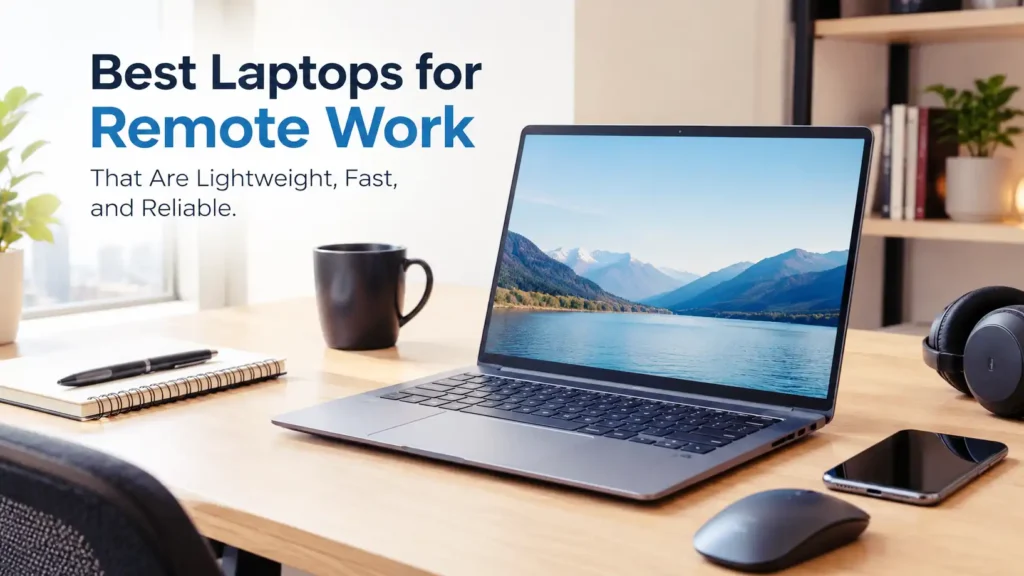
Lightweight and reliable laptops for remote work illustration featuring a modern laptop in a productive home office.
Remote work has changed how we use laptops. Whether you’re working from home, answering emails at a coffee shop, attending online meetings, or managing projects while traveling, you need a laptop that keeps up with your daily routine. A slow computer, a weak battery, or a heavy design can turn an otherwise productive day into a frustrating experience.
The good news is that you don’t need an expensive workstation to work comfortably from almost anywhere. Many modern laptops combine fast processors, lightweight designs, long battery life, and dependable performance in a compact package. Some are ideal for professionals who spend hours in video meetings, while others are better suited to multitasking, creative projects, or everyday office applications.
However, choosing the right laptop isn’t always straightforward. A device might look impressive on paper but disappoint you with an uncomfortable keyboard, limited connectivity, or a battery that struggles to last through the afternoon. That’s why it’s important to look beyond flashy specifications and focus on the features that genuinely make remote work easier.
In this guide, we’ll explore the best laptops for remote work that balance portability, speed, and reliability. We’ll also explain what makes a laptop suitable for professional tasks, why certain features matter, and how to choose a device that fits your workload and budget without paying for performance you don’t actually need.
What Makes a Laptop Good for Remote Work?
A good remote-work laptop should make your working day feel effortless. It needs enough processing power to handle everyday applications, a battery that lasts through meetings and assignments, and a design that doesn’t become a burden when you move between locations. For most people, a lightweight 13- or 14-inch laptop offers an excellent balance between portability and screen space.
Performance is equally important. A recent Intel Core Ultra, AMD Ryzen 5 or Ryzen 7, or Apple M-series processor can provide plenty of power for common productivity tasks, depending on the specific model and generation. Pair that with 16 GB of RAM and a 512 GB SSD, and you’ll have a comfortable starting point for multitasking, managing files, and switching between applications. A good webcam, reliable Wi-Fi, and a comfortable keyboard are also worth prioritizing.
Why Choosing the Right Laptop Matters for Remote Work
The right laptop can make remote work more productive and less stressful. Imagine joining a video meeting while keeping your presentation open, checking information in your browser, and editing a spreadsheet in the background. A capable machine handles these tasks smoothly, allowing you to concentrate on your work instead of waiting for applications to respond. Better battery life also means fewer interruptions when you’re working away from your desk.
Portability and reliability matter just as much over the long term. A lightweight laptop is easier to carry between home, an office, and other workspaces, while a dependable build can help you avoid unnecessary downtime. Spending a little more on the right features may also be worthwhile if you use your laptop every day. Instead of chasing the highest specifications, focus on finding a machine that matches your workload, offers comfortable everyday use, and remains practical for years to come.
Best Laptops for Remote Work That Are Lightweight, Fast, and Reliable
Choosing a laptop for remote work comes down to finding the right balance between performance, portability, battery life, and price. A premium ultrabook may be ideal if you travel frequently, while a business laptop might suit you better if you spend most of your day working with documents, spreadsheets, and video meetings. The following recommendations cover different needs, so you can focus on the features that matter most to your daily routine.
Keep in mind that specifications vary by model year and configuration. Whenever possible, prioritize 16 GB of RAM, an SSD with at least 512 GB of storage, a comfortable keyboard, and a good webcam. These features provide a practical foundation for handling everyday work without making your laptop unnecessarily expensive or bulky.
1. Apple MacBook Air — Best Overall for Remote Work
The Apple MacBook Air is an excellent option if you want a laptop that feels fast without being bulky or noisy. Recent M-series models offer responsive performance for everyday productivity, including document editing, video conferencing, research, and multitasking. Its lightweight aluminum body makes it easy to carry between workspaces, while the sharp display and excellent trackpad make daily tasks comfortable. The fanless design is another advantage because the laptop operates silently during ordinary workloads, helping you concentrate during meetings or focused work sessions.
Battery life is another strong point, although actual results depend on your workload and configuration. The MacBook Air is particularly appealing to people who spend hours writing, browsing, or working with cloud-based applications. However, it runs macOS rather than Windows, so check that your essential professional software is compatible before buying. Its limited port selection may also require a USB-C hub for external monitors and other accessories. If you want a portable, quiet, and dependable machine for everyday remote work, the MacBook Air is a strong all-around choice.
2. Dell XPS 13 — Best Premium Windows Laptop
If you prefer Windows, the Dell XPS 13 deserves a place on your shortlist. Its compact construction, modern hardware, and high-quality display options make it attractive to professionals who want a capable machine without carrying a large laptop. It’s well suited to managing spreadsheets, preparing presentations, communicating with colleagues, and working across multiple browser tabs. Depending on the configuration, its efficient processor can also provide responsive everyday performance while keeping the overall design slim and portable.
The main trade-offs involve price, connectivity, and configuration. Some XPS 13 versions rely heavily on USB-C ports, so you may need an adapter for older USB-A accessories or additional displays. Display choices can also affect battery endurance, so compare the available configurations rather than assuming every version performs identically. If you regularly connect external monitors or specialized workplace equipment, check the ports before purchasing. Nevertheless, the XPS 13 is a compelling premium option for remote professionals who value portability, a modern appearance, and the flexibility of Windows.
3. Lenovo ThinkPad X1 Carbon — Best for Business Professionals
The Lenovo ThinkPad X1 Carbon is designed for people who treat their laptop as an everyday work tool. Its lightweight construction, business-focused features, and comfortable keyboard make it particularly appealing to professionals who spend much of the day writing, reviewing documents, or communicating with clients. Depending on the generation and configuration, it can also provide useful security features and connectivity options for corporate environments. Its portable design is especially convenient when your job involves moving between meetings, offices, airports, and temporary workspaces.
The biggest drawback is its premium price. Higher-end configurations can cost considerably more than mainstream consumer laptops, especially when equipped with upgraded memory or premium displays. You may not need those extras if your work consists mainly of email, word processing, and web browsing. However, if you travel regularly, type for hours, or need a professional Windows machine for demanding office routines, the ThinkPad X1 Carbon is worth considering. Choose a configuration with enough memory and storage for your workload, and compare the display options carefully before making a decision.
4. ASUS Zenbook 14 — Best Lightweight Laptop for Everyday Productivity
The ASUS Zenbook 14 is a strong choice if you want a portable Windows laptop without paying for a premium business model. It combines a slim design with modern processors, a comfortable display, and enough performance for everyday professional tasks. Whether you’re preparing reports, managing spreadsheets, attending video meetings, or switching between multiple browser tabs, the Zenbook 14 can handle a typical remote-work routine with ease when configured with sufficient memory. Its 14-inch screen also provides a useful balance between portability and workspace, making it comfortable for both home offices and cafés.
Another advantage is that many Zenbook 14 configurations offer OLED displays, which provide rich colors, deep blacks, and excellent contrast. This is particularly appealing if you spend time reviewing visual content or simply prefer a sharper-looking screen. However, OLED options can affect battery consumption, and specifications vary between generations. Check the exact model’s weight, port selection, and battery capacity before buying. For most remote workers who want a stylish, versatile laptop for everyday productivity, the Zenbook 14 is a practical option worth comparing.
5. HP EliteBook 840 — Best for Professional Office Work
The HP EliteBook 840 is built for professionals who need a dependable Windows laptop for daily business activities. Depending on the generation, it offers modern processors, business-oriented security features, and a practical selection of connectivity options. These qualities make it suitable for handling documents, participating in online meetings, accessing company applications, and managing multiple work tasks throughout the day. Its 14-inch form factor also provides a comfortable working area without becoming as cumbersome as many larger business laptops.
One reason to consider the EliteBook series is its focus on professional use rather than flashy consumer features. Depending on the configuration, you may get security tools, convenient ports, and management capabilities that are useful in a company environment. However, pricing can vary significantly, and some configurations are more expensive than consumer laptops with similar basic specifications. Before purchasing, compare the processor generation, RAM, storage, display brightness, and battery condition if you’re considering a refurbished unit. If your employer requires specific security or device-management features, confirm compatibility with your IT department first.
For gamers who need a laptop that balances strong performance with a reasonable price, these 9 Best Gaming Laptops With RTX 3060 for Performance and Value are worth considering.
6. Lenovo ThinkPad T14 — Best for Reliability and Everyday Multitasking
The Lenovo ThinkPad T14 is worth considering if you need a work-focused laptop that prioritizes practical features over an ultra-thin design. It is available in different Intel- and AMD-based configurations depending on the generation, allowing buyers to choose a machine suited to their workload and budget. With adequate memory and a fast SSD, it can handle spreadsheets, business software, video calls, research, and numerous open applications. Its keyboard-focused design is especially useful for people who spend long hours typing, while its business-oriented construction makes it a sensible candidate for everyday professional use.
Compared with thinner ultraportables, some ThinkPad T14 configurations may be slightly heavier, but that trade-off can be worthwhile if you value connectivity and a practical working experience. Certain versions offer a wider selection of ports than compact premium laptops, potentially reducing your need for adapters. Battery life, display quality, and weight differ between generations, so don’t assume every T14 configuration is identical. For remote workers who need a versatile Windows laptop for sustained daily use, the ThinkPad T14 offers a useful balance of performance, practicality, and portability.
7. Acer Swift Go 14 — Best Value for a Portable Work Laptop
The Acer Swift Go 14 is worth considering if you want a lightweight laptop with modern performance without automatically jumping into the premium price category. Depending on the configuration, it offers capable processors, a compact design, and a display suitable for everyday productivity. It can handle common remote-work tasks such as editing documents, managing spreadsheets, attending video conferences, and researching information online. Its 14-inch screen also provides a comfortable working area while keeping the laptop relatively easy to carry between home and other workspaces.
One advantage of the Swift Go 14 is that it comes in different configurations, giving you some flexibility when comparing prices and specifications. However, don’t assume that every version offers the same display, battery life, or performance. For a comfortable long-term experience, look for 16 GB of RAM, sufficient SSD storage, and a screen that suits your working environment. Also check the keyboard layout and available ports if you frequently connect external monitors or accessories. For remote workers who want a practical combination of portability and performance, the Swift Go 14 can be a sensible choice.
8. Microsoft Surface Laptop — Best for a Clean Windows Experience
The Microsoft Surface Laptop is a great option if you want a portable computer with a premium design, a comfortable keyboard, and a high-quality display. It is well suited to people who work with Microsoft 365, attend online meetings, manage projects, and use cloud-based applications throughout the day. Recent models with efficient processors can deliver responsive everyday performance while maintaining a slim profile. Its understated design also makes it suitable for professional environments, whether you’re working from home or taking your laptop to client meetings.
Before buying, pay attention to the processor architecture. Some Surface Laptop models use ARM-based processors, which can provide excellent efficiency but may have compatibility limitations with certain older applications, drivers, or specialized workplace software. Check your essential programs before choosing one. You should also compare screen sizes, memory configurations, and available ports. If your daily workflow relies mainly on standard office applications, web browsers, and video conferencing, the Surface Laptop can be a comfortable and capable companion for remote work.
9. ASUS Vivobook S 14 — Best for Multitasking on a Budget
The ASUS Vivobook S 14 is worth considering if you want modern performance without necessarily paying premium ultrabook prices. Depending on the version, it offers Intel or AMD processors, or a Snapdragon-based platform, alongside a portable 14-inch design. With sufficient memory and SSD storage, it can handle common office applications, video meetings, research, and multiple browser tabs comfortably. Some configurations also feature OLED displays, giving you vibrant colors and strong contrast for both work and entertainment.
The key is choosing the right configuration rather than buying solely because the product name sounds appealing. Memory capacity, processor type, display technology, and battery specifications can differ considerably between versions. For multitasking, 16 GB of RAM is a useful starting point, while 512 GB or more of SSD storage gives you room for work documents and applications. If you rely on specialized Windows software, verify compatibility before purchasing a Snapdragon-based model. Overall, the Vivobook S 14 is a versatile choice for remote workers who want a portable laptop with a good balance of everyday performance and value.
10. LG gram 14 — Best for Frequent Travelers
The LG gram 14 stands out for one major reason: portability. Its lightweight construction makes it especially attractive to people who regularly carry their laptops between home, coworking spaces, client offices, and airports. Despite its compact design, it provides a practical screen size for working with documents, browsing the web, preparing presentations, and joining online meetings. Depending on the generation, you can also find modern processors, generous memory configurations, and fast SSD storage that make everyday productivity feel smooth and responsive.
The gram 14 is particularly appealing if carrying a heavy laptop all day sounds exhausting. However, its extremely light construction may feel different from the denser metal bodies of some premium business laptops, so consider your preferences for build feel and durability. Specifications and battery performance also vary between generations, and premium configurations can be expensive. Before buying, compare the exact model’s ports, webcam quality, keyboard layout, and battery capacity. If minimizing carrying weight is one of your biggest priorities, the LG gram 14 deserves serious consideration.
11. HP Pavilion Aero 13 — Best Compact Laptop for Everyday Work
The HP Pavilion Aero 13 is a compelling option for people who want a small, lightweight Windows laptop for everyday productivity. Its compact screen and portable construction make it easy to slip into a backpack, while suitable AMD Ryzen configurations provide enough processing power for common office tasks. You can use it to write articles, manage emails, attend video calls, prepare presentations, and work with cloud-based applications without carrying a bulky machine. For users who spend most of their working day on documents and web applications, this type of lightweight laptop can be more practical than a larger performance-focused model.
Its appeal also comes from the possibility of getting a capable productivity machine without spending as much as you might on a premium business laptop. However, the Pavilion Aero 13 is an older product line, so availability and specifications depend on your market and the particular unit you’re considering. If you’re buying a used or refurbished model, check battery health, keyboard condition, display quality, and remaining warranty coverage. Aim for at least 16 GB of RAM if you regularly multitask. When you find a well-maintained configuration at a competitive price, it can be a useful choice for lightweight remote work.
How to Choose the Best Laptop for Your Remote Work Needs
Choosing the right laptop becomes much easier when you start with your actual workload instead of the product specifications. A freelancer who mainly writes articles and attends video meetings doesn’t need the same hardware as a software developer running virtual machines or a designer editing large files. Think about the applications you use every day, how often you travel, and whether you usually work near a power outlet. These details will help you narrow down your options without paying for features you rarely use.
Your budget matters, too, but the cheapest laptop isn’t always the best value. A machine with insufficient memory or poor battery life can become frustrating long before you’re ready to replace it. Instead, prioritize the features that directly affect your productivity, comfort, and long-term use. A well-chosen midrange laptop can be a smarter purchase than an expensive premium model if it already meets all your professional needs.
Prioritize the Right Processor and RAM
For general remote work, look for a recent Intel Core Ultra, AMD Ryzen 5 or Ryzen 7, or Apple M-series processor, depending on your preferred operating system and budget. Pair it with at least 16 GB of RAM for comfortable multitasking and a 512 GB SSD for storing documents, applications, and work files. If your job involves video editing, software development, or other demanding tasks, you may benefit from a more powerful processor and additional memory.
Choose a Comfortable Screen Size and Weight
A 13- or 14-inch laptop is often ideal if portability is your priority. These sizes offer enough room for documents, spreadsheets, and video meetings while remaining relatively easy to carry. If you spend most of your time working with large spreadsheets, multiple windows, or detailed visual content, a 15- or 16-inch screen may be more comfortable. Consider the laptop’s actual weight, screen brightness, keyboard quality, and available ports rather than judging its portability by screen size alone.
Check Battery Life and Connectivity
Battery life becomes especially important when you work from cafés, coworking spaces, or locations where power outlets aren’t always available. Look for independent reviews that test real-world usage, including video calls and multitasking, instead of relying exclusively on advertised battery figures. Also, check whether the laptop has the ports you need for external monitors, USB accessories, and wired networking. Reliable Wi-Fi, a good webcam, and clear microphones can make a noticeable difference to your daily remote-work experience.
Conclusion
The best laptop for remote work is one that makes your everyday tasks easier without weighing you down or constantly demanding your attention. The MacBook Air is an excellent all-around choice for people comfortable with macOS, while the Dell XPS 13 and Lenovo ThinkPad X1 Carbon offer compelling options for Windows users who value portability and premium construction. Meanwhile, models such as the ASUS Zenbook 14, Acer Swift Go 14, and Lenovo ThinkPad T14 provide alternatives for different budgets and professional needs.
Before making your decision, focus on the essentials: a capable processor, preferably 16 GB of RAM, a fast SSD, a comfortable keyboard, dependable connectivity, and battery life that suits your routine. Don’t forget to check software compatibility and the exact specifications of the configuration you’re buying. Two laptops with similar names can offer surprisingly different experiences.
Ultimately, you don’t need the most expensive laptop to work productively from anywhere. Choose a reliable machine that matches your workload, feels comfortable to carry, and fits your budget. With the right laptop, you can spend less time dealing with technical frustrations and more time getting meaningful work done.
FAQs
1. What is the best laptop for remote work?
The Apple MacBook Air is an excellent all-around choice for remote workers who prefer macOS because it combines portability, responsive performance, and strong battery life. For Windows users, the ASUS Zenbook 14, Dell XPS 13, and Lenovo ThinkPad T14 are worth considering, depending on your budget and requirements. The best option ultimately depends on your software, workload, and preferred operating system.
2. How much RAM do I need for remote work?
For most remote workers, 16 GB of RAM is a good starting point because it allows you to run video conferencing software, office applications, and multiple browser tabs comfortably. Eight gigabytes can be sufficient for basic tasks, but it offers less flexibility for multitasking. If you work with demanding creative applications, large datasets, or virtual machines, consider 32 GB or more.
3. Is a lightweight laptop powerful enough for professional work?
Yes. Many lightweight laptops now offer enough processing power for office applications, programming, online meetings, content creation, and everyday multitasking. However, performance depends on the processor, cooling system, memory, and specific workload. If you regularly edit high-resolution videos, run complex simulations, or use other resource-intensive software, choose a model designed to handle those demands.
4. Is Windows or macOS better for remote work?
Neither operating system is automatically better for everyone. Windows offers broad software compatibility, a wide range of laptop choices, and flexibility for many business environments. macOS is popular for its streamlined experience, efficient Apple silicon hardware, and integration with other Apple devices. Choose the platform that supports your essential applications and fits your existing workflow.
5. How much should I spend on a laptop for remote work?
Your budget should reflect the demands of your job rather than a particular price tag. An affordable laptop can handle basic documents, email, and web-based applications, while a midrange model with 16 GB of RAM and a 512 GB SSD is often a sensible investment for regular multitasking. Premium laptops can be worthwhile if you value a lighter design, better displays, longer battery life, or specialized business features.