7 Tips to Keep Your WhatsApp Account Safe From Scammers
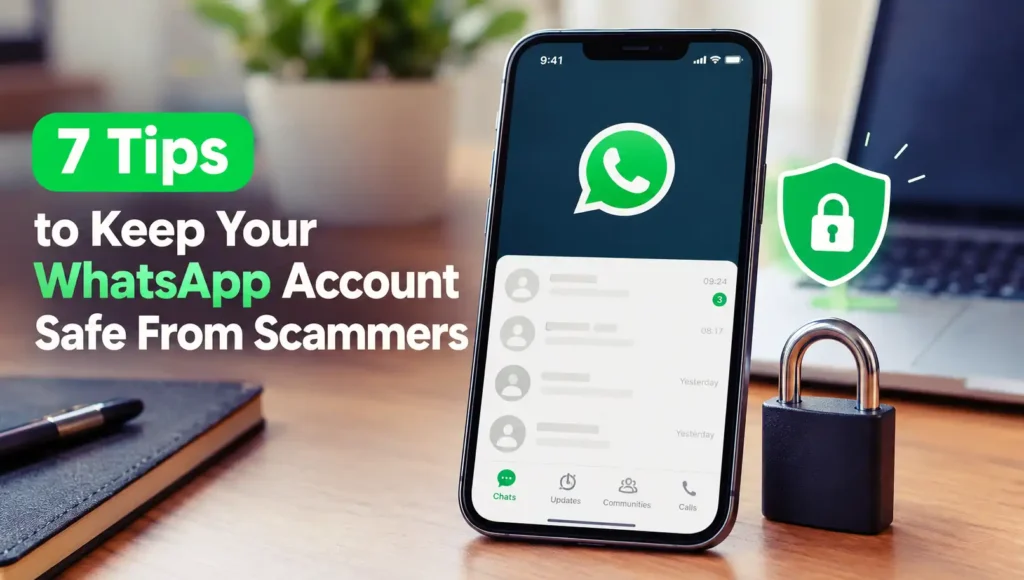
WhatsApp security tips illustration to help protect your account from scammers and online fraud.
WhatsApp has become one of the easiest ways to stay connected with friends, family, coworkers, and even customers. With just a few taps, you can send messages, share photos, make calls, and transfer important information. However, as more people rely on WhatsApp every day, scammers have also found new ways to trick users into revealing personal information, losing access to their accounts, or sending money to the wrong people.
The tricky part is that WhatsApp scams don’t always look suspicious at first. A message might come from someone pretending to be your friend, a delivery company, a bank representative, or even a family member who urgently needs money. Some scammers create a sense of panic, while others offer tempting prizes or job opportunities. Before you realize what’s happening, you might have already clicked a dangerous link or shared information you should have kept private.
The good news is that you don’t need to be a cybersecurity expert to protect yourself. A few simple habits, combined with WhatsApp’s built-in security features, can make your account much harder for scammers to target. Knowing which messages to trust, which settings to enable, and when to stop responding can make a significant difference.
In this guide, we’ll explore seven practical tips to keep your WhatsApp account safe from scammers. Whether you’re a casual user or someone who relies on WhatsApp for work, these steps will help you recognize common warning signs, protect your personal information, and use the app with greater confidence.
What Makes WhatsApp Users a Target for Scammers?
WhatsApp is an attractive target because it connects people through personal conversations, group chats, voice calls, and shared contacts. Scammers can exploit these familiar interactions to make their messages appear legitimate. For example, someone might impersonate a relative using a profile picture copied from social media or pretend to be a coworker asking for an urgent payment. Since the message arrives through an app people already trust, victims may let their guard down.
Another reason is that scammers often rely on human emotions rather than sophisticated hacking techniques. Fear, curiosity, urgency, and the promise of easy money can encourage people to act before thinking carefully. Fake verification requests, suspicious links, fraudulent giveaways, and account takeover attempts are common examples. Understanding these tactics is the first step toward recognizing a scam before it causes real damage.
Why Is It Important to Protect Your WhatsApp Account?
Your WhatsApp account may contain more than casual conversations. It can include private photos, personal documents, business discussions, contact information, and messages containing sensitive details. If a scammer gains access to your account, they might impersonate you, contact your friends and family, or use your identity to request money from people who trust you. In some cases, a compromised account can also become a starting point for scams targeting other online accounts.
Protecting your account is therefore about more than preventing someone from reading your messages. It’s also about protecting your reputation, privacy, and the people you communicate with. By strengthening your security settings and developing safer messaging habits, you reduce the chances of becoming a victim and make it harder for scammers to exploit your trusted relationships. Think of these precautions as locking your front door: they won’t eliminate every possible risk, but they can prevent many avoidable problems.
7 Tips to Keep Your WhatsApp Account Safe From Scammers
1. Enable Two-Step Verification
One of the easiest ways to strengthen your WhatsApp security is to enable two-step verification. This feature adds an extra layer of protection by requiring a six-digit PIN when your phone number is registered with WhatsApp again. Even if someone manages to obtain your SMS verification code, the additional PIN can make it harder for them to take over your account.
To enable this feature, open WhatsApp, go to Settings > Account > Two-step verification, and follow the instructions to create your PIN. You may also be asked to add an email address to help you recover access if you forget the PIN. Choose a PIN that isn’t easy to guess, avoid reusing important passwords or codes, and never share it with anyone. This small step can make a big difference in keeping your account under your control.
2. Never Share Your Verification Code
Your WhatsApp verification code is one of the most important pieces of information protecting your account. When you register your phone number or move your account to another device, WhatsApp sends a code to verify that you control that number. Scammers may try to trick you into sharing this code by pretending to be a friend, a customer support representative, or someone who accidentally entered your number.
Remember, never share your WhatsApp verification code with anyone, even if the request sounds convincing. A scammer who obtains it may be able to register your number on their device and lock you out of your account. If someone claims they need your code to verify your identity or help fix a problem, treat the request as suspicious. You should also avoid sharing screenshots that display verification codes, since a seemingly harmless image can expose information scammers need to access your account.
3. Be Careful With Suspicious Links
Scammers often send links through WhatsApp that lead to fake websites designed to steal personal information. These messages might promise free shopping vouchers, exclusive giveaways, cheap products, or job opportunities with unusually high salaries. Others pretend to be delivery notifications or account security alerts, pressuring you to click immediately. The websites may look professional and imitate legitimate brands, but their real purpose could be to collect your passwords, payment details, or other sensitive information.
Before opening a link, check who sent it and whether the message makes sense. Be especially cautious with shortened URLs, unfamiliar domains, spelling mistakes, and messages that insist you must act immediately. If a message claims to come from a bank, delivery service, or another organization, visit its official website directly instead of following the provided link. Even if the link comes from someone you know, verify it with them if the message seems unusual. Their account could have been compromised without their knowledge.
You can also learn how to spot suspicious messages and protect yourself from online fraud with our guide to 7 Tips to Stay Safe From Scams on Instagram DMs.
4. Verify Unknown Contacts and Requests
Have you ever received a WhatsApp message from an unfamiliar number claiming to be a friend, relative, or coworker? Scammers frequently impersonate people you know because they understand that familiar names and personal connections can make their stories more believable. They might claim to have lost their phone, changed their number, or encountered an emergency that requires immediate financial assistance. In other cases, they may pretend to be a company representative offering a special deal or requesting personal information.
The safest approach is to verify the person’s identity before responding to unusual requests. If someone claims to be a family member using a new number, contact them through their previous number or another trusted communication channel. For suspicious money requests, try calling the person directly and asking a question only they would know the answer to. Don’t rely solely on profile pictures, display names, or convincing messages, since these details can be copied easily. Taking a moment to verify a claim is far better than losing money because you acted in a hurry.
5. Adjust Your WhatsApp Privacy Settings
Your WhatsApp privacy settings can help limit how much personal information strangers can see. Depending on your settings, other users may be able to view details such as your profile photo, About information, last seen status, and online status. Scammers can sometimes use these details to learn more about you, impersonate someone you know, or make their messages appear more convincing. Limiting unnecessary exposure is a simple way to reduce the information available to people you don’t trust.
To review your settings, open WhatsApp and go to Settings > Privacy. Consider setting your profile photo, About information, and last seen status to My Contacts or a more restrictive option if available. You can also control who may add you to groups, silence calls from unknown numbers, and review your blocked contacts. These settings won’t stop every scam attempt, but they can give you greater control over who can contact you and access your personal details. Remember to revisit them occasionally as your privacy needs change.
6. Keep WhatsApp Updated
Updating WhatsApp might seem like a routine task, but it plays an important role in protecting your account. Updates can include security fixes, bug patches, and improvements that address weaknesses discovered in earlier versions of the app. Using an outdated version for too long may leave you without important protections or newer security features. Updates can also improve how the app handles suspicious activity and protect against certain technical vulnerabilities.
To stay protected, download WhatsApp updates through the official Google Play Store on Android or the Apple App Store on iPhone. You can enable automatic updates so you don’t have to check manually every time. Avoid downloading modified WhatsApp applications or installation files from unfamiliar websites, even if they promise extra features or greater customization. Unofficial versions may introduce privacy risks or expose your information to untrusted developers. Keeping your app updated and using the official version is a straightforward habit that helps you maintain a safer messaging experience.
7. Know How to Report and Block Scammers
Even if you follow every security precaution, you might still receive suspicious messages. That’s why it’s important to know how to block and report accounts that attempt to scam you. Blocking prevents the person from contacting you through WhatsApp calls and messages, while reporting helps WhatsApp review potentially abusive or fraudulent activity. These tools are especially useful when someone repeatedly sends suspicious links, impersonates another person, requests money under false pretenses, or pressures you to share confidential information.
To take action, open the suspicious chat, tap the contact’s name or number, and look for the Block and Report options. The exact layout may vary depending on your device and WhatsApp version. You can also report suspicious messages without engaging with the sender further. Avoid arguing with scammers or clicking additional links to investigate their claims. If you’ve already shared a verification code, lost access to your account, or sent money, act quickly: try to register your number on WhatsApp again using the official app, contact your bank if a payment was involved, and notify affected contacts through another channel. Quick action can help limit the damage.
Conclusion
Keeping your WhatsApp account safe from scammers doesn’t require complicated technical knowledge. By enabling two-step verification, protecting your verification code, avoiding suspicious links, checking unexpected requests, adjusting your privacy settings, installing official updates, and reporting suspicious accounts, you can significantly reduce common security risks. These habits are simple, but they can prevent problems that might otherwise affect your personal information, finances, and relationships.
Remember that scammers often rely on urgency and trust to make people act without thinking. Whenever a message asks for money, personal information, or a verification code, take a moment to check whether the request is genuine. Even messages from familiar contacts deserve a second look if something feels unusual. It’s better to spend an extra minute verifying a message than to deal with the consequences of a compromised account.
Ultimately, online safety is an ongoing habit rather than a one-time task. Review your WhatsApp settings regularly, keep the app updated, and stay aware of new scam tactics. With a little caution and the right security measures, you can enjoy the convenience of WhatsApp while making it much harder for scammers to take advantage of you.
FAQs
1. Can someone hack my WhatsApp account without my verification code?
Yes, certain attacks may compromise an account or device without directly obtaining your WhatsApp verification code, such as through malware, a compromised linked device, or access to your unlocked phone. However, scammers commonly try to steal verification codes to register your number on another device. Protect your phone, review linked devices, enable two-step verification, and never share your security codes.
2. What should I do if my WhatsApp account has been stolen?
Open the official WhatsApp app and try to register your phone number again using the SMS or phone-call verification process. Enter the six-digit code you receive to sign out the other user who registered your number. If a two-step verification PIN is requested that you don’t know, you may need to follow WhatsApp’s recovery instructions and wait before regaining access. Inform your contacts through another channel so they don’t fall for messages sent by the scammer.
3. Is it safe to reply to unknown numbers on WhatsApp?
Replying to an unknown number isn’t automatically dangerous, but you should be cautious if the sender asks for money, personal information, verification codes, or clicks on suspicious links. Avoid sharing sensitive details and don’t open unexpected attachments. If the message appears fraudulent or the sender keeps pressuring you, block and report the account instead of continuing the conversation.
4. Does two-step verification completely prevent WhatsApp scams?
No. Two-step verification adds an important layer of account protection, but it cannot prevent every type of scam. You could still be tricked into sending money, revealing personal information, or opening a malicious link. For stronger protection, combine two-step verification with careful message checking, secure device access, updated software, and regular reviews of linked devices.
5. How can I tell whether a WhatsApp message is a scam?
Look for warning signs such as urgent money requests, unexpected prize claims, suspicious links, requests for verification codes, unusual language, or offers that seem too good to be true. Scammers may also impersonate friends, family members, companies, or customer support representatives. If you’re unsure, verify the claim through an independent, trusted channel before taking action.