Top 5 Affordable 16GB RAM Laptops Worth Buying
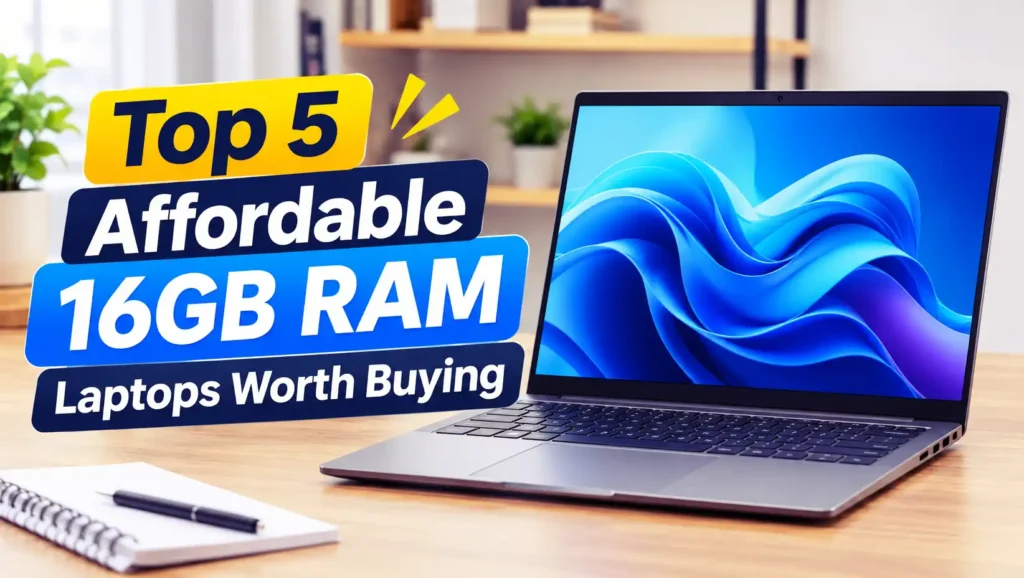
Affordable 16GB RAM laptops featured in a modern tech illustration.
Buying a new laptop doesn’t always mean spending a fortune. Whether you’re a student, office worker, freelancer, or casual gamer, finding a machine that offers reliable performance at an affordable price is more important than chasing the most expensive specifications. One feature worth prioritizing is RAM, especially if you regularly multitask or work with demanding applications.
For years, 8GB of RAM was considered enough for everyday computing. However, modern software, web browsers, and operating systems have become increasingly demanding. Opening multiple browser tabs, attending online meetings, editing documents, and running background applications can quickly consume available memory. That’s why 16GB RAM has become a much more practical starting point for anyone buying a laptop today.
The good news is that you don’t need a high-end workstation to enjoy the benefits of 16GB RAM. Many affordable laptops now offer this memory capacity alongside capable processors, fast SSD storage, and decent displays. Some models are even suitable for light content creation, programming, photo editing, and casual gaming.
In this guide, we’ll explore five affordable 16GB RAM laptops worth considering. We’ll look at their performance, everyday usability, important specifications, and potential drawbacks to help you find a model that matches your needs without stretching your budget too far.
What Makes a 16GB RAM Laptop Worth Buying?
A laptop with 16GB RAM offers a comfortable balance between performance, practicality, and long-term usability. It provides enough memory for everyday multitasking, allowing you to switch between applications without constantly worrying about running out of available RAM. For example, you can keep several browser tabs open while working on spreadsheets, listening to music, and participating in a video conference.
However, RAM isn’t the only specification that determines whether a laptop is worth buying. The processor, SSD capacity, display quality, battery life, keyboard comfort, and cooling system also play important roles. A laptop with 16GB RAM but an outdated processor or slow storage might still feel sluggish. Ideally, you should look for a balanced combination of hardware rather than focusing on one specification.
Why Should You Choose a Laptop with 16GB RAM?
One major reason to choose 16GB RAM is that modern computing habits involve running multiple applications simultaneously. Even relatively simple activities can consume considerable memory when you combine a web browser, office software, messaging applications, and background services. With 16GB RAM, your laptop has more breathing room, making everyday tasks feel smoother and reducing the likelihood of memory-related slowdowns.
Another advantage is better longevity. Software requirements tend to increase over time, and a laptop that feels comfortable today might struggle with future applications if its memory capacity is too limited. Choosing 16GB RAM gives you more flexibility for the coming years, particularly if you plan to use your laptop for studying, working remotely, programming, or basic creative projects. It’s a sensible investment that can help you avoid upgrading too soon.
Top 5 Best Affordable Laptops with 16GB RAM to Buy
Finding an affordable laptop with 16GB RAM is easier than it used to be, but choosing the right one still requires a little research. Different models offer different combinations of processor performance, storage capacity, display quality, portability, and battery life. Some prioritize productivity, while others provide enough graphics performance for creative work and casual gaming.
To make your decision easier, here are five affordable 16GB RAM laptops worth considering. The selection focuses on practical everyday performance, useful specifications, and overall value for money. Keep in mind that configurations and prices can vary depending on your region, retailer, and product availability.
1. Acer Aspire 5
The Acer Aspire 5 is a popular choice for people who want a reasonably priced laptop without sacrificing everyday performance. Depending on the generation and configuration, it can come with AMD Ryzen 5 or Intel Core i5 processors, 16GB RAM, and SSD storage. This combination makes it suitable for office applications, online classes, web browsing, video streaming, and general multitasking. Its straightforward design also makes it a practical option for students and professionals who need a reliable computer rather than an expensive premium device.
Another advantage of the Aspire 5 is its relatively balanced feature set. Many configurations offer a Full HD display, a comfortable keyboard, multiple connectivity options, and an upgrade-friendly design. However, display quality, battery life, and graphics performance can differ between versions. If you’re considering this laptop, check the exact processor generation and whether the 16GB RAM configuration uses upgradeable or soldered memory. Choosing the right variant can make a noticeable difference in long-term satisfaction.
2. Lenovo IdeaPad Slim 3
The Lenovo IdeaPad Slim 3 is another attractive option for buyers who want a lightweight and affordable productivity laptop. Available with different Intel Core and AMD Ryzen processors, selected configurations provide 16GB RAM and fast SSD storage. These specifications are more than sufficient for everyday activities such as writing documents, preparing presentations, managing spreadsheets, browsing the internet, and attending virtual meetings. Its relatively slim design also makes it convenient for students and office workers who frequently carry their laptops between locations.
What makes the IdeaPad Slim 3 interesting is its focus on everyday usability. Depending on the model, you can get a Full HD display, a comfortable keyboard, and a reasonable selection of ports without paying for unnecessary premium features. Some versions also offer efficient processors that help balance performance and battery consumption. Before purchasing, pay attention to the display panel, RAM configuration, and processor model because specifications can vary significantly between generations. It’s a sensible choice if portability and productivity matter more to you than high-end graphics performance.
If portability and productivity are your priorities, Best Laptops for Remote Work That Are Lightweight, Fast, and Reliable covers several options worth considering.
3. ASUS Vivobook 15
The ASUS Vivobook 15 is worth considering if you want a versatile laptop with a modern design and practical specifications. Many configurations are available with Intel Core or AMD Ryzen processors, 16GB RAM, and SSD storage. This combination provides enough performance for multitasking, office productivity, online learning, entertainment, and light creative workloads. Its 15.6-inch display also provides a comfortable working area, making it useful for people who spend considerable time writing, researching, or working with multiple windows.
The Vivobook 15 also offers a good balance between appearance and functionality. Depending on the configuration, it may include a Full HD display, a numeric keypad, useful connectivity options, and ASUS productivity features. However, not every version has the same display quality, battery capacity, or upgrade options. Some models use memory configurations that limit future upgrades, so checking the specifications before buying is important. If you want an affordable laptop that can handle a wide range of everyday tasks, the Vivobook 15 deserves a place on your shortlist.
4. HP 15
The HP 15 is a practical option for buyers who prefer a straightforward laptop for work, education, and everyday computing. Selected configurations come with Intel Core i5 or AMD Ryzen 5 processors, 16GB RAM, and SSD storage, providing a comfortable experience for common productivity tasks. You can use it to work with Microsoft Office, browse multiple websites, attend online meetings, manage emails, and enjoy streaming entertainment without needing an expensive business-class laptop. Its 15.6-inch screen also provides enough workspace for documents, spreadsheets, and general multitasking.
One reason to consider the HP 15 is its familiar and functional design. Many versions include a full-size keyboard with a numeric keypad, making data entry and spreadsheet work more convenient. Depending on the model, you may also get a Full HD display, USB connectivity, HDMI, and wireless networking features. However, display brightness, color accuracy, battery life, and build quality can vary between configurations. Before purchasing, check the exact processor, RAM arrangement, and SSD capacity rather than assuming every HP 15 model offers identical specifications. It’s particularly suitable if you want a dependable laptop for everyday productivity without paying extra for premium design features.
5. Acer Aspire Lite
The Acer Aspire Lite is worth checking out if affordability is your main priority. This laptop family targets users who need practical computing performance without spending too much. Depending on the specific configuration, you can find versions equipped with Intel Core or AMD Ryzen processors, 16GB RAM, and SSD storage. These specifications make it suitable for everyday activities such as browsing, document editing, online classes, video calls, and light multitasking. For students and users who mainly need a laptop for productivity, it can offer an appealing combination of essential features and accessible pricing.
Despite its budget-oriented positioning, the Aspire Lite can provide a reasonably useful everyday experience. Some configurations feature Full HD displays, modern connectivity, and relatively lightweight designs that make them easier to carry around. However, buyers should remember that lower-cost laptops often make compromises in areas such as display quality, speakers, battery capacity, and chassis materials. You should also compare processor generations and memory configurations before deciding which version to purchase. If you prioritize getting 16GB RAM and SSD storage at a reasonable price, the Aspire Lite is a model worth keeping on your radar.
How to Choose the Best Affordable 16GB RAM Laptop
Choosing a laptop isn’t just about finding the lowest price or the biggest memory capacity. Even when two laptops have 16GB RAM, their actual performance can be noticeably different because of their processors, storage devices, cooling systems, and overall hardware configurations. Before making a purchase, think about what you’ll use the laptop for most often. Someone who mainly works with documents and browser tabs doesn’t need the same hardware as someone who edits videos, develops software, or plays modern games.
It’s also worth considering how long you plan to keep your laptop. Spending a little more on a newer processor, a better display, or a larger SSD might save you from upgrading sooner. A good budget laptop should handle your current workload comfortably while leaving enough performance headroom for future applications. Here are several important factors to check before choosing your next machine.
1. Check the Processor Generation
The processor has a major influence on how quickly your laptop handles everyday tasks. Look for relatively recent Intel Core or AMD Ryzen processors, preferably from generations that offer a good balance of performance and efficiency. Don’t judge a laptop by the processor’s brand name alone. An older Core i7, for example, isn’t automatically faster than a newer Core i5 or Ryzen 5.
2. Pay Attention to SSD Storage
A laptop with 16GB RAM should ideally include an SSD rather than relying on a traditional mechanical hard drive. SSDs significantly improve boot times, application loading, and overall system responsiveness. For most users, 512GB SSD storage is a comfortable starting point because it provides enough room for applications, documents, photos, and everyday files.
3. Understand the RAM Configuration
Not all 16GB RAM configurations work in exactly the same way. Some laptops use two memory modules, while others combine soldered memory with an additional slot or use fully soldered RAM. Dual-channel configurations can also improve memory bandwidth, which is particularly useful for integrated graphics. If you want to upgrade your laptop later, check whether its RAM is replaceable or expandable before buying.
4. Consider Display Quality and Comfort
Your laptop display is something you’ll look at every day, so don’t overlook it when comparing affordable models. A Full HD resolution of 1920 × 1080 is a sensible minimum for a modern 15.6-inch laptop. Also consider brightness, viewing angles, and color reproduction, especially if you spend long hours reading, editing photos, or watching videos.
5. Compare Battery Life and Portability
If you regularly take your laptop to campus, the office, or a coffee shop, battery life and weight matter. A powerful laptop isn’t particularly convenient if you constantly need to search for a power outlet. Check independent battery tests when available, because advertised battery estimates don’t always reflect real-world usage. A lightweight model with efficient hardware can be a better everyday companion than a heavier laptop with specifications you rarely use.
Are Affordable 16GB RAM Laptops Good for Gaming and Productivity?
Absolutely! An affordable laptop with 16GB RAM can handle a surprisingly wide range of productivity tasks. Applications such as Microsoft Office, Google Workspace, web browsers, communication platforms, and basic programming tools generally run comfortably with this amount of memory. You can also work with multiple applications simultaneously without feeling as restricted as you might with an 8GB system. For students, remote workers, and general office users, 16GB RAM is a practical configuration that offers plenty of flexibility.
Gaming is a slightly different story because RAM isn’t the only component responsible for gaming performance. Integrated graphics can run many lightweight and older games, while laptops with dedicated GPUs are better suited to more demanding titles. The processor, graphics chip, cooling system, and display refresh rate all influence the experience. Therefore, if gaming is one of your priorities, don’t purchase a laptop simply because it has 16GB RAM. Look for a balanced configuration that includes capable graphics hardware as well.
Conclusion
Choosing an affordable laptop with 16GB RAM is a smart way to get a comfortable computing experience without spending too much money. Models such as the Acer Aspire 5, Lenovo IdeaPad Slim 3, ASUS Vivobook 15, HP 15, and Acer Aspire Lite offer different combinations of performance, portability, and everyday features. Each has its own strengths, so the best option ultimately depends on your budget and how you plan to use your laptop.
Before making a purchase, remember to compare more than just RAM capacity. Processor generation, SSD storage, display quality, battery life, and upgrade options can make a significant difference in everyday performance. It’s also important to check the exact model configuration because specifications and features can vary between versions.
Ultimately, a good 16GB RAM laptop doesn’t have to be expensive. Whether you need a machine for studying, office productivity, multitasking, or light creative work, the five options in this guide are worth considering. Focus on finding the right balance between price and performance, and you’ll have a laptop that remains useful for years to come.
FAQs
1. Is 16GB RAM Enough for a Laptop in 2026?
Yes, 16GB RAM is still a practical amount of memory for most everyday laptop users in 2026. It provides enough capacity for multitasking, office applications, web browsing, online meetings, programming, and light creative work. Although demanding professional applications may benefit from 32GB RAM or more, 16GB is a sensible starting point for most students and general users.
2. Is a 16GB RAM Laptop Good for Gaming?
Yes, a laptop with 16GB RAM can handle many games, particularly esports titles, indie games, and older releases. However, gaming performance also depends heavily on the processor and graphics hardware. A laptop with integrated graphics may struggle with demanding modern games, so consider a model with a dedicated GPU if gaming performance is important to you.
3. Should I Buy a Laptop with 16GB RAM or 8GB RAM?
If your budget allows it, choosing 16GB RAM is generally the better decision. Modern applications and operating systems can consume considerable memory, especially when multiple programs are running simultaneously. While 8GB RAM remains usable for basic activities, 16GB offers more comfortable multitasking and better flexibility for future software requirements.
4. Can I Upgrade My Laptop from 8GB RAM to 16GB RAM?
That depends on the laptop’s memory design. Some models have replaceable RAM modules or additional memory slots, allowing you to upgrade their capacity. Others use soldered memory that cannot be replaced or expanded. Always check the manufacturer’s specifications before purchasing if future RAM upgrades are important to you.
5. How Much Should I Spend on an Affordable 16GB RAM Laptop?
The ideal budget depends on your location, hardware requirements, and preferred laptop category. Generally, entry-level and mainstream laptops with 16GB RAM can offer good value without requiring a premium budget. Compare several models with similar processors, SSD capacities, and display specifications rather than choosing the cheapest option automatically.