5 Budget Smartphones That Are Perfect for TikTok Live Streaming
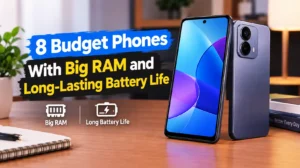
Budget smartphones for TikTok Live streaming illustration with a modern content creator setup.
TikTok Live has become a fun way to connect with an audience, share your interests, promote products, and even earn money through livestreaming. Whether you’re chatting with followers, showing off your latest purchases, playing mobile games, or running a small online business, a good smartphone can make a huge difference. But here’s the good news: you don’t need an expensive flagship phone to start streaming. Plenty of budget-friendly smartphones offer solid cameras, reliable performance, and battery life that can handle everyday livestreaming.
Of course, not every affordable phone is suitable for TikTok Live. A device might take beautiful photos but struggle with video in low light. Another might have a powerful processor but overheat during a long broadcast. And if your internet connection keeps dropping, even the best camera won’t save your stream. That’s why it’s worth looking beyond the megapixel count and considering how a phone performs during real-world use.
The right smartphone depends on the kind of content you create. If you enjoy beauty tutorials, fashion videos, or casual conversations, you’ll want a camera that makes your face look clear and natural. If you’re a gamer or product seller, stable performance, decent audio, and dependable connectivity may matter more. Battery capacity also deserves attention, especially if you regularly stream for an hour or longer.
In this guide, we’ll explore five budget-friendly smartphones worth considering for TikTok Live streaming, along with the features that make each one appealing. We’ll also cover practical buying tips and simple ways to improve your livestream quality without spending a fortune on equipment. The goal is simple: help you find a phone that fits your budget and lets you focus on creating content rather than worrying about technical problems.
What Makes a Budget Smartphone Good for TikTok Live Streaming?
Choosing a smartphone for TikTok Live involves more than finding a device with a high-resolution camera or a large battery. Livestreaming puts several parts of your phone to work at the same time, including the camera, processor, microphone, and internet connection. If one of these components struggles, your broadcast might become blurry, laggy, or frustrating for viewers. The good news? You can find affordable smartphones that handle these tasks reasonably well without stretching your budget.
Camera Quality and Video Clarity
Your camera is one of the most important features to consider when choosing a smartphone for TikTok Live. Viewers want to see your face, products, or surroundings clearly, so a camera that produces sharp video with natural colors can make your content more enjoyable. However, don’t assume that a phone with a 108MP or 200MP camera will automatically deliver better livestreams than a device with fewer megapixels. Sensor quality, image processing, and low-light performance also play important roles.
The front camera deserves special attention if you usually stream while looking directly at your phone. A decent selfie camera can help you appear clear during conversations, makeup tutorials, and product demonstrations. It’s also worth checking whether the phone supports stable video recording and handles indoor lighting well. Although TikTok’s livestream quality depends on more than the camera alone, starting with a capable front camera gives you a useful advantage.
Why Low-Light Performance Matters
Not everyone streams in a professional studio with bright lights and a clean background. You might broadcast from your bedroom, a small shop, or a corner of your living room. In these situations, a smartphone that handles dim lighting reasonably well can help prevent your video from looking excessively grainy. Still, even an expensive camera struggles in poor lighting, so pairing your phone with an affordable ring light can often produce a more noticeable improvement than upgrading your device.
Battery Life and Charging Speed
Livestreaming consumes more power than many everyday smartphone activities because the camera, display, processor, and network connection remain active for extended periods. If your battery drains quickly, you might have to end your broadcast earlier than planned. For creators who regularly host long Q&A sessions, promote products, or chat with followers, a large battery is a valuable feature.
A battery capacity of around 5,000mAh is a sensible starting point when comparing budget smartphones, although actual battery life varies depending on brightness, network strength, temperature, and streaming settings. Fast charging can also be useful when you need to prepare your phone for another session. However, avoid assuming that a large battery guarantees hours of uninterrupted streaming. Testing your chosen phone during a typical session is the best way to understand how much power your content actually requires.
Is It Safe to Stream While Charging?
You can generally use a smartphone while it’s charging, but livestreaming creates additional heat, especially when combined with fast charging. Excessive heat may cause performance throttling, reduce charging speed, or make the device uncomfortable to hold. If you need to charge during a broadcast, use a reliable charger, keep the phone in a well-ventilated position, and avoid placing it on a pillow or other heat-trapping surface. Whenever possible, begin streaming with a sufficiently charged battery rather than depending on constant charging.
Processor Performance and Multitasking
A smartphone’s processor helps manage the camera, livestream processing, network activity, and other tasks running in the background. If the hardware is too weak, you may experience stuttering, overheating, or delayed responses when interacting with viewers. This becomes particularly noticeable if you frequently switch between applications, read comments, demonstrate other apps, or stream mobile games.
For a smoother experience, look for a reasonably modern midrange processor paired with sufficient memory. Around 8GB of RAM is a comfortable target for general-purpose streaming, although a well-optimized phone with less RAM may still work perfectly well for simple broadcasts. More memory doesn’t automatically guarantee better livestream quality, but it can provide additional breathing room when multitasking. Closing unnecessary applications before going live can also help reduce background activity.
Don’t Ignore Storage Space
Storage might not seem directly related to livestreaming, but it matters if you regularly record clips, edit videos, download effects, or save content for future uploads. A phone with 128GB of internal storage is a practical starting point for many creators, especially if you frequently produce videos outside your livestream sessions. If your budget allows, a 256GB model gives you more room to grow without constantly deleting files. Remember that available storage can be lower than the advertised capacity because the operating system and preinstalled applications also occupy space.
Internet Connectivity and Microphone Quality
Even a powerful smartphone cannot deliver a consistently enjoyable livestream without a dependable internet connection. TikTok Live relies on uploading video in real time, so upload speed and connection stability are particularly important. A phone that supports 4G LTE can be perfectly adequate if your network provides reliable upload speeds. Meanwhile, 5G support can offer additional bandwidth and lower latency in areas with good coverage, but it isn’t essential for every creator.
If you plan to stream using mobile data, check which network bands the phone supports and whether your preferred carrier provides reliable coverage where you live. For home streaming, stable Wi-Fi is often a convenient option. Try to position yourself near the router, minimize network congestion, and test your connection before starting an important broadcast. A stable connection is generally more useful than impressive theoretical speeds that fluctuate throughout the session.
Clear Audio Is Just as Important as Video
Imagine watching a livestream with beautiful video but muffled voices and constant background noise. You’d probably leave pretty quickly, right? That’s why microphone quality deserves as much attention as camera specifications. Your phone’s built-in microphones may be sufficient for casual conversations in a quiet room, but busy environments can make your voice harder to understand.
If you regularly stream in noisy places or demonstrate products while moving around, consider using a compatible external microphone. An affordable wired lavalier microphone or a suitable wireless model can improve voice clarity significantly. Before purchasing one, check the phone’s connection options and whether you need a USB-C adapter or another accessory. Better audio doesn’t have to cost much, yet it can make your livestream feel noticeably more professional.
Software Support and Streaming Compatibility
Hardware isn’t the whole story. Your phone also needs software that supports the TikTok app reliably. A device running a reasonably recent version of Android, with access to official app updates and adequate remaining storage, is generally a safer choice than an older phone that no longer receives security updates. Software support can also affect how long your device remains practical for content creation.
It’s equally important to understand that TikTok Live access isn’t determined by your smartphone alone. Account eligibility, regional availability, and TikTok’s current requirements can affect whether you can start a broadcast. Some livestream features may also vary by account or app version. Before spending money on a new phone specifically for streaming, confirm that your TikTok account already has access to LIVE and check that the device can run the features you intend to use.
Ultimately, the best budget smartphone for TikTok Live combines a capable camera, dependable performance, sufficient battery life, clear audio, and stable connectivity. You don’t necessarily need the most expensive model in a manufacturer’s lineup. You need a phone that handles your particular streaming style without making every broadcast feel like a technical experiment.
5 Budget Smartphones That Are Perfect for TikTok Live Streaming
Finding the right phone for TikTok Live doesn’t mean you have to buy the most expensive device on the market. Several midrange smartphones offer a good combination of camera quality, processing power, battery capacity, and connectivity for creators on a budget. The following five models are worth considering, although their prices and availability can vary by country, retailer, and memory configuration.
1. Samsung Galaxy A56 5G
The Samsung Galaxy A56 5G is a solid option for creators who want a balanced smartphone for livestreaming and everyday use. Its Exynos 1580 processor, 6.7-inch Super AMOLED display with a 120Hz refresh rate, and 5,000mAh battery make it well suited to handling social media, watching content, and managing everyday multitasking. Samsung’s software support is another advantage if you want a phone that remains useful for several years.
For TikTok Live, the Galaxy A56 5G offers a 12MP front camera and a 50MP main rear camera with optical image stabilization (OIS). The front camera is useful for face-to-camera broadcasts, while the rear camera can be a better choice when showing products, demonstrations, or your surroundings. Keep in mind that the actual livestream image depends on TikTok’s processing, lighting conditions, and network quality, not just the camera specifications.
Why it’s worth considering: This phone suits creators who want a dependable all-rounder for livestreaming, filming short videos, and managing their social media accounts. However, it may cost more than some competing midrange devices, so compare local prices before buying.
2. Xiaomi Redmi Note 14 Pro 5G
If camera specifications are high on your shopping list, the Xiaomi Redmi Note 14 Pro 5G deserves a closer look. It features a 200MP main camera with OIS, a MediaTek Dimensity 7300-Ultra processor, and a 6.67-inch AMOLED display with a 120Hz refresh rate. These features make it appealing to creators who want a capable device for photography, video production, and everyday entertainment.
The phone also includes a 20MP front camera, which is relevant if most of your TikTok Live sessions involve talking directly to your audience. Its 5,110mAh battery and 45W charging support are useful additions for people who spend considerable time creating content. The high-resolution rear camera can capture detailed footage, but remember that a 200MP sensor doesn’t mean your livestream will be transmitted at 200MP. TikTok compresses video, so lighting, framing, and a stable connection remain essential.
Why it’s worth considering: The Redmi Note 14 Pro 5G is a good candidate for creators who want one phone for livestreaming, taking product photos, and recording videos for later editing. It is particularly attractive if you can find it at a discounted price. Before purchasing, check the exact regional model, available memory configuration, and warranty.
If you’re looking for a smartphone with an excellent front camera for content creation, explore Best Phones for Selfies and Stunning Portraits to find more options for capturing beautiful selfies and portraits.
3. POCO X7 5G
The POCO X7 5G is worth considering if you want a balance of performance and affordability. Powered by the MediaTek Dimensity 7300-Ultra processor, it offers enough processing capability for everyday social media use, video playback, and many multitasking scenarios. Its 6.67-inch AMOLED display with a 120Hz refresh rate also makes checking comments, adjusting settings, and monitoring your livestream preview feel responsive.
The camera setup includes a 50MP main camera with OIS and a 20MP front camera. For creators who primarily use the selfie camera, that front-facing sensor is suitable for considering casual broadcasts, product discussions, and daily updates. The phone also packs a 5,110mAh battery with 45W charging support, giving you a useful combination of capacity and charging convenience. As with any smartphone, battery endurance during a real livestream will depend on brightness, network conditions, and how long you broadcast.
Why it’s worth considering: The POCO X7 5G makes sense for creators who want a responsive phone for livestreaming, gaming, and general entertainment without paying flagship prices. It’s also worth comparing against similarly priced Redmi models, particularly if you find a promotion. Just remember that a powerful processor won’t compensate for weak mobile coverage or poor lighting.
4. Motorola Moto G Power 5G
If your priority is a practical smartphone for everyday use and occasional livestreaming, the Motorola Moto G Power 5G family is another option to investigate. Motorola offers several generations of this model, and their specifications differ considerably, so make sure you’re comparing the exact version available in your market rather than assuming every Moto G Power has the same hardware.
Depending on the generation, you may find features such as a large display, a high-capacity battery, 5G connectivity, and enough processing power for routine social media activities. These characteristics can be useful for creators who stream casually, communicate with customers, or spend a lot of time away from a charging outlet. However, camera performance, memory configurations, charging speeds, and software support should be checked individually before you commit.
Why it’s worth considering: The Moto G Power 5G may suit creators who value everyday practicality and battery capacity over advanced camera features. Its biggest consideration is availability: Motorola’s lineup and pricing vary by region, and some versions are harder to find in Indonesia. Check local warranty coverage and confirm the exact model number before purchasing.
5. Samsung Galaxy A36 5G
The Samsung Galaxy A36 5G is another appealing option for creators who want a balanced device for TikTok Live and daily social media use. It features a Snapdragon 6 Gen 3 processor, a 6.7-inch Super AMOLED display with a 120Hz refresh rate, and a 5,000mAh battery. That combination provides a practical foundation for managing comments, checking your stream, and switching between common applications.
Its 50MP main rear camera includes OIS, while the 12MP front camera is designed for selfies and face-to-camera content. If you regularly host conversations, tutorials, or small-business livestreams, the front camera should be one of the first features you test in the lighting conditions where you normally broadcast. Samsung’s software support is also worth considering if you plan to keep your phone for several years. However, the Galaxy A36 5G’s 25W charging support is less aggressive than the faster charging offered by some competitors.
Why it’s worth considering: The Galaxy A36 5G is a sensible choice if you prefer Samsung’s software experience and want a phone for livestreaming, recording short videos, and everyday productivity. It isn’t necessarily the cheapest option, so compare its price with the Galaxy A56 5G and competing Redmi or POCO models before deciding.
How to Choose the Right Phone for Your Streaming Style
The best smartphone for TikTok Live isn’t necessarily the one with the biggest camera sensor or the fastest processor. It’s the one that matches how you create content, how long you stream, and how much you’re willing to spend. A phone that’s perfect for chatting with viewers might not be the best choice for mobile gaming or selling products online.
Before making a purchase, think about what your audience sees and hears during a typical broadcast. Do you spend most of your time talking to the camera? Do you demonstrate products with the rear camera? Or do you stream games while interacting with viewers? Each situation puts different demands on your phone, so choosing based on your actual needs can save you money.
Best for Beauty, Fashion, and Lifestyle Streams
If your content focuses on makeup tutorials, skincare routines, fashion, or everyday conversations, prioritize front-camera quality and reliable image processing. You want your face and products to look clear, with natural-looking colors and enough detail to keep viewers engaged. Good low-light performance is helpful if you usually stream indoors, although a ring light can make a substantial difference without requiring you to buy a more expensive phone.
The Samsung Galaxy A56 5G and Galaxy A36 5G are worth comparing for this type of content, especially if you prefer Samsung’s software experience. The Redmi Note 14 Pro 5G and POCO X7 5G are also candidates, particularly if their pricing is more attractive. Try to test the front camera in the room where you’ll normally stream, because bright store lighting can hide weaknesses that become obvious at home.
Best for Gaming and Screen Sharing
Gaming livestreams require a different approach. Your smartphone needs to run the game, manage the streaming process, and maintain a stable network connection without becoming excessively hot. Depending on how you broadcast, the phone may also need to display comments or switch between applications. These extra demands make processor performance, memory, and thermal management particularly important.
The POCO X7 5G is worth considering if you want a phone that balances performance with its other everyday features. The Galaxy A56 5G is another option for creators who want a capable all-rounder. However, don’t assume that a phone that runs games smoothly will automatically deliver a flawless TikTok Live broadcast. Test the specific game and streaming method you intend to use, and remember that TikTok’s LIVE access and available broadcasting features depend on account eligibility and platform support.
Best for Long Streaming Sessions
If you regularly stream for an hour or more, battery capacity and heat management should be high on your priority list. A phone with a 5,000mAh battery is a reasonable starting point, but actual endurance depends on screen brightness, network strength, camera usage, and ambient temperature. Fast charging can help between sessions, although charging speed alone doesn’t tell you how long a phone will last while broadcasting.
The Samsung Galaxy A56 5G, Galaxy A36 5G, Redmi Note 14 Pro 5G, and POCO X7 5G all offer 5,000mAh-class batteries or larger, making them worth comparing for extended use. Before choosing one, look at the complete package: battery life, charging speed, processor efficiency, and software optimization. If possible, test your preferred phone during a livestream of the length you normally host.
For longer broadcasts, a few simple accessories can also make life easier. A sturdy phone stand keeps your hands free, while a compatible external microphone can improve voice clarity. TikTok’s own livestreaming guidance emphasizes stable internet, charged equipment, and useful accessories such as tripods and lavalier microphones.
The bottom line? Choose a phone that can comfortably handle your typical streaming session rather than focusing exclusively on the biggest battery number on the box. A reliable setup will help you spend less time worrying about your device and more time interacting with your viewers.
Tips to Improve TikTok Live Streaming Quality on a Budget
Buying a capable smartphone is only half the battle. Your lighting, internet connection, audio setup, and streaming habits can make just as much difference to the final result. The good news is that you don’t need a professional studio to create a livestream that looks and sounds good. A few inexpensive improvements can help you get more out of the phone you already own.
Use Stable Wi-Fi or Mobile Data
A stable internet connection is essential for TikTok Live. Even if your phone has a great camera, an unreliable connection can cause buffering, dropped frames, or blurry video. Remember, livestreaming requires a consistent upload connection, not just a high download speed for watching videos.
If you’re streaming from home, try using Wi-Fi and positioning yourself near the router. Disconnect devices that are consuming unnecessary bandwidth, particularly if several people in your household are watching videos or downloading large files. If you prefer mobile data, test your carrier in the exact location where you plan to stream. A strong 4G connection can be more dependable than a weak 5G signal, so don’t choose a network based on its label alone.
Before starting an important broadcast, run a quick connection test and check whether the signal remains stable for several minutes. If your connection fluctuates, move closer to the router or try a different location. These simple checks can prevent frustrating interruptions once viewers start joining your LIVE session.
Improve Lighting and Camera Positioning
Good lighting can make an affordable smartphone look surprisingly impressive. You don’t need a complicated lighting rig; a window that provides soft daylight or an inexpensive ring light can help illuminate your face and reduce distracting shadows. Try positioning your main light in front of you rather than behind you, which can otherwise make your face appear too dark.
Camera positioning matters, too. Place your phone on a stable tripod or stand at approximately eye level for a natural-looking view. If you’re demonstrating products, adjust the angle so viewers can clearly see the details without having to watch you constantly reposition the device. Clean the camera lens before going live, since fingerprints and dust can make footage look hazy.
For a simple setup, combine a phone stand, a light source, and a tidy background. You can often create a more polished livestream this way than by spending your entire budget on a phone with a slightly better camera.
Keep Your Phone Cool and Manage Background Apps
Livestreaming makes your smartphone work continuously, which can generate considerable heat. Running demanding applications, using mobile data in a weak-signal area, and charging at the same time can make the problem worse. When a phone becomes too hot, it may reduce performance to protect its components, potentially affecting your broadcast.
Before starting TikTok Live, close applications you don’t need and avoid running demanding games or downloads in the background. Reduce screen brightness to a comfortable level, but keep it bright enough to monitor comments. Remove a thick phone case if it traps heat, and place the device somewhere with good airflow. Never cover it with fabric or leave it in direct sunlight.
You should also avoid repeatedly switching between heavy applications during your broadcast. Preparing your setup beforehand helps your phone focus on streaming instead of juggling unnecessary tasks. If the device becomes unusually hot, displays a temperature warning, or behaves erratically, end the session and let it cool down.
Use an External Microphone When Necessary
Clear audio helps viewers understand you without straining to hear every word. Your phone’s built-in microphone may be enough for a quiet room, but it can struggle when you’re streaming outdoors, working in a busy shop, or speaking from a distance. Background conversations, traffic, and wind can quickly distract from your content.
An affordable wired lavalier microphone is a practical starting point for many creators. You can clip it near your collar to capture your voice more consistently, although compatibility depends on your phone and microphone connector. Some USB-C microphones work directly, while others may require an adapter. Wireless microphones offer more freedom to move around, but they can cost more and need to be charged separately.
Before going live, record a short test and listen to it through headphones. Check your voice volume, background noise, and whether movement causes rubbing sounds against your clothing. If your audio is already clear, you don’t need to buy another accessory just because other creators use one. Spend your money where it solves an actual problem.
Prepare Your Phone Before Every Broadcast
A little preparation can prevent a surprising number of livestream problems. Charge your phone before starting, make sure TikTok is updated, and check that the camera, microphone, and internet connection are working properly. If you receive frequent calls or notifications, consider enabling Do Not Disturb while allowing any essential contacts or alerts you still need.
It’s also wise to check your available storage and close unnecessary applications before streaming. Although a livestream doesn’t necessarily require huge amounts of free storage, your phone still needs room to operate comfortably, especially if you create and edit videos regularly. Avoid installing unfamiliar applications immediately before an important broadcast, as they may introduce unexpected notifications or performance issues.
Finally, start with a short test session whenever you’re using a new phone, microphone, or internet connection. Check the image, audio, and stability before committing to a longer stream. That small habit can save you from discovering a technical problem in front of your audience.
Common Mistakes to Avoid When Buying a Streaming Phone
Choosing a smartphone for TikTok Live can feel overwhelming when manufacturers advertise impressive cameras, fast processors, and enormous batteries. However, some specifications look better on paper than they perform in everyday use. Before spending your money, watch out for these common buying mistakes.
Choosing a Phone Based Only on Megapixels
A 108MP or 200MP camera might sound impressive, but megapixels aren’t the only factor that determines video quality. Sensor size, image processing, autofocus, and low-light performance can all affect how your content looks. Besides, TikTok processes and compresses livestream video, so your viewers won’t necessarily benefit from every detail a high-resolution camera captures.
Instead of chasing the highest megapixel count, pay attention to front-camera quality if you usually stream while facing the phone. Look for natural colors, consistent exposure, and clear footage in the lighting conditions you actually use. If possible, test sample videos rather than relying entirely on marketing claims.
Ignoring RAM and Processor Performance
A phone might run TikTok smoothly when you’re scrolling through videos but behave differently during an extended livestream. Streaming keeps several components active simultaneously, and demanding tasks can increase the workload. Devices with limited memory or older processors may struggle more when you switch between applications or broadcast while gaming.
For most creators, a modern midrange processor and around 8GB of RAM provide a comfortable starting point. However, don’t treat that combination as a strict requirement. A well-optimized phone with less RAM may handle simple broadcasts perfectly well, while a device with more memory can still experience problems because of overheating or poor network conditions.
Buying the Cheapest Model Without Checking Its Condition
Saving money is sensible, but the lowest price doesn’t always mean the best value. An older smartphone may have a degraded battery, outdated software, unreliable charging hardware, or limited remaining support. These issues can become particularly frustrating when you’re relying on the phone for regular content creation.
If you’re buying a new device, compare official warranty coverage, storage capacity, software support, and local pricing. If you’re considering a used phone, check the battery condition, camera, microphone, charging port, and network connectivity before paying. A slightly more expensive device in good condition can be a better long-term investment than a bargain that needs repairs.
Overlooking Network Compatibility
A smartphone that supports 5G isn’t automatically the best choice for livestreaming. Network performance depends on local coverage, carrier compatibility, signal strength, and congestion. In some locations, a stable 4G connection may deliver a more reliable experience than 5G with weak reception.
Before purchasing, confirm that the phone supports the network bands used by your carrier and that its SIM configuration suits your needs. If you stream mainly at home, check how well it performs on your existing Wi-Fi network. Reliable connectivity should be a major consideration, not an afterthought.
Forgetting About Heat and Battery Endurance
A large battery capacity looks attractive, but it doesn’t guarantee excellent endurance during a livestream. Camera usage, display brightness, weak mobile signals, and processor workload all influence power consumption. Heat can also affect performance during extended sessions, even on phones with capable hardware.
Look for a balanced combination of battery capacity, charging support, processor efficiency, and thermal management. Avoid assuming that the fastest charging specification automatically makes a phone better for long broadcasts. If possible, test the device during a session similar to your usual streaming routine.
Paying for Features You Don’t Actually Need
It’s easy to overspend on premium camera systems, gaming features, or storage configurations that won’t improve your typical livestream. If you mainly host casual conversations, you might benefit more from a good front camera, reliable connectivity, and a sturdy phone stand than from a flagship-level processor.
Think about your content before choosing a model. Product sellers may prioritize rear-camera detail, gaming creators may need stronger processing performance, and lifestyle streamers may care more about selfie video quality. Set a budget, identify your essential features, and compare phones based on those priorities. That way, you’re paying for a phone that supports your content rather than a list of specifications you may never use.
Conclusion
Finding the right budget smartphone for TikTok Live streaming doesn’t have to be complicated or expensive. The Samsung Galaxy A56 5G, Xiaomi Redmi Note 14 Pro 5G, POCO X7 5G, Motorola Moto G Power 5G, and Samsung Galaxy A36 5G each offer different advantages, depending on your priorities, local prices, and availability. Some are appealing all-rounders, while others deserve consideration for their camera features, processing performance, or everyday battery life. Before making a purchase, compare the exact model specifications and make sure the phone fits your budget.
Remember, a great livestream depends on more than the smartphone itself. Stable internet, good lighting, clear audio, and sensible heat management can significantly improve your viewers’ experience. You can start with a basic setup and add affordable accessories as your audience grows. You don’t need an expensive studio or a flagship phone to create engaging content.
Ultimately, the best budget smartphone for TikTok Live is the one that reliably handles your streaming style without making you overspend. Choose a phone with a capable front camera, sufficient performance, and dependable connectivity, then focus on building a genuine connection with your audience. After all, viewers come for your content and personality, not just the device you’re holding.
FAQs
1. How Much RAM Do You Need for TikTok Live?
Around 8GB of RAM is a comfortable target for most creators because it provides room for TikTok and other everyday applications. However, you don’t necessarily need 8GB to host a simple livestream. A well-optimized phone with less RAM may still perform adequately, depending on the workload, software, and streaming conditions. If you plan to stream mobile games or multitask frequently, choosing a device with more memory can be helpful.
2. Is a Budget Phone Good Enough for TikTok Live Streaming?
Yes! Many budget and midrange smartphones can handle TikTok Live without requiring a flagship processor or an expensive camera system. Look for a phone with a capable front camera, reliable internet connectivity, reasonable battery life, and enough processing power for your content. Good lighting and clear audio can also make a noticeable difference without adding much to your expenses.
3. Is Front-Camera Quality More Important Than Rear-Camera Quality?
It depends on what you stream. If you mostly chat with viewers, create beauty tutorials, or share lifestyle content, the front camera is usually the more important feature because it lets you monitor yourself while broadcasting. If you demonstrate products, show scenery, or stream activities that benefit from greater detail, the rear camera may be more useful. Ideally, choose a phone with both a capable front camera and a good main rear camera.
4. Can You Stream on TikTok Live While Charging Your Phone?
Generally, yes, but charging while livestreaming can increase heat because both activities consume power and generate warmth. Use a reliable charger, keep your phone in a well-ventilated area, and avoid covering it with blankets or placing it in direct sunlight. Whenever possible, begin your broadcast with a sufficiently charged battery. If your phone becomes unusually hot or displays a temperature warning, stop streaming and let it cool.
5. Do You Need 5G for TikTok Live Streaming?
No. A stable 4G LTE connection can be sufficient for TikTok Live if it provides reliable upload speeds. Although 5G can offer greater bandwidth and lower latency in areas with good coverage, its benefits depend on your carrier and location. Prioritize connection stability over the network label, and test your internet connection before going live.