7 Tips to Stay Safe From Scams on Instagram DMs
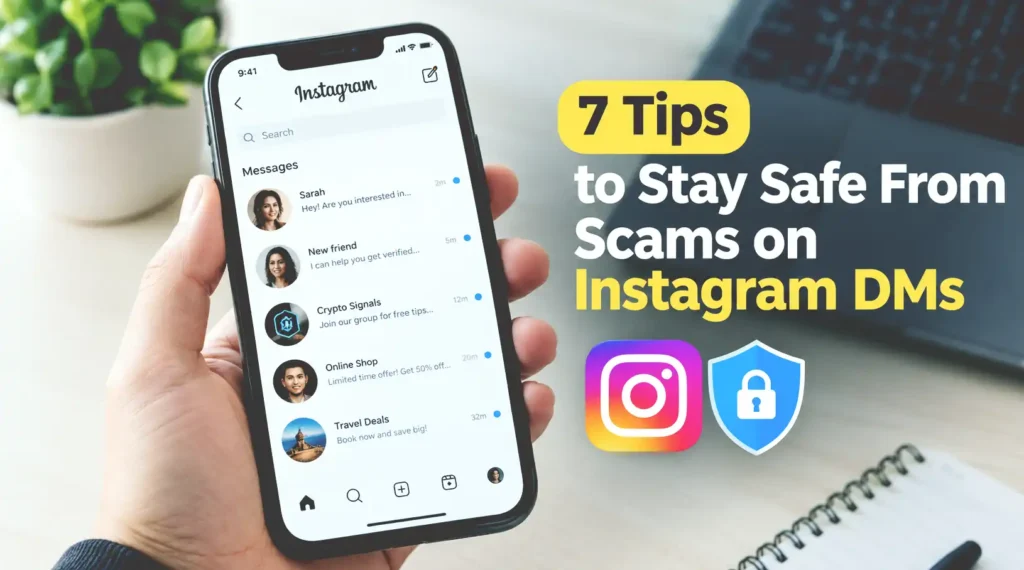
Photorealistic illustration of Instagram DM scam prevention tips to help users stay safe from online scams and protect their accounts.
Instagram Direct Messages (DMs) make it easy to connect with friends, chat with creators, discover new brands, and even find business opportunities. But there’s a downside: scammers also use DMs to trick people into sharing personal information, sending money, or handing over their accounts.
The tricky part is that not every scam looks suspicious at first. A message might come from an account that looks professional, a profile that resembles your friend’s, or someone claiming to work for Instagram. Some scammers create a sense of urgency, while others build trust before making their move.
The good news? You don’t need to be a cybersecurity expert to protect yourself. A few simple habits can help you recognize suspicious messages, avoid dangerous links, and keep your account secure.
In this guide, you’ll discover seven practical tips to stay safe from scams on Instagram DMs, including how to spot fake accounts, verify suspicious messages, and respond if you think you’ve been targeted. Whether you use Instagram to chat with friends, shop online, or grow a business, these tips can help you browse with greater confidence.
What Are Instagram DM Scams?
Instagram DM scams are fraudulent messages sent through Instagram’s Direct Messages feature to trick users into revealing sensitive information, sending money, clicking dangerous links, or giving someone access to their accounts. Scammers may pretend to be friends, popular creators, online sellers, customer support representatives, or even Instagram itself. Their messages can look surprisingly convincing, especially when they copy real profile pictures, use familiar names, or create professional-looking accounts.
These scams can take several forms, including fake giveaways, phishing links, investment offers, impersonation attempts, and messages claiming that your account is about to be suspended. Some scammers try to get what they want immediately, while others spend days building trust before making a suspicious request. Understanding what these scams look like is the first step toward avoiding them because a message that appears harmless at first can become a serious security problem if you respond without checking the details.
Why Are Instagram DM Scams So Common?
Instagram is an attractive target for scammers because it combines personal conversations, online shopping, influencer marketing, and business networking in one place. Users regularly interact with strangers, follow new accounts, and receive messages about promotions or collaborations. This creates opportunities for scammers to blend fraudulent messages into normal conversations. A fake brand partnership might look like a genuine business opportunity, while a message from an account using your friend’s photo might seem trustworthy enough to answer without a second thought.
Another reason these scams work is that they often exploit human emotions rather than technical weaknesses. Scammers may create excitement with promises of free products, trigger fear by warning about account suspension, or encourage curiosity with unexpected links. When people feel rushed, they’re more likely to overlook suspicious details. That’s why staying safe isn’t just about having a strong password; it’s also about slowing down, questioning unusual requests, and verifying who’s actually contacting you.
7 Proven Tips to Avoid Instagram DM Scams
Protecting yourself from Instagram DM scams doesn’t require complicated tools or advanced technical knowledge. Most of the time, it comes down to recognizing suspicious behavior, checking information before acting, and knowing when to stop engaging with someone. The following seven tips will help you identify common warning signs, protect your personal information, and reduce the risk of losing access to your account or money.
Whether you’re chatting with someone you just met, responding to a business offer, or receiving an unexpected message from a familiar account, don’t assume everything is legitimate just because it appears on Instagram. Take a moment to verify the sender and think carefully before clicking links or sharing anything sensitive. Here’s how to make your Instagram DMs safer.
1. Verify the Sender Before Trusting a Message
One of the simplest ways to avoid Instagram DM scams is to check who’s actually contacting you. Scammers frequently impersonate friends, celebrities, brands, and businesses by copying their profile pictures, usernames, and biographies. Some create usernames that differ from legitimate accounts by just one letter, making the fake profile difficult to notice at a glance. Before responding to an unusual request, open the sender’s profile and look for inconsistencies, suspicious posting activity, or other signs that the account might not be genuine.
However, don’t rely entirely on how an account looks. Even a legitimate account can be compromised and used to send scam messages to its followers. If a friend suddenly asks you for money, requests a verification code, or sends an unexpected link, contact them through another trusted channel to confirm the request. A quick message or phone call can prevent a much bigger problem. Remember, knowing someone personally doesn’t automatically mean every message from their account is safe.
Check the Username and Account Activity
Pay attention to small details, such as unusual spelling, recently created accounts, limited posting history, or messages that don’t match the sender’s normal communication style. A verified badge can provide useful context, but it shouldn’t replace checking the account and the message itself. Treat unexpected requests with caution, even when they come from familiar-looking profiles.
2. Never Click Suspicious Links in Instagram DMs
Suspicious links are one of the most common tools scammers use to steal Instagram accounts and personal information. You might receive a message promising a free gift, offering an exclusive discount, or warning that your account will be suspended unless you take immediate action. The message may direct you to a website that looks almost identical to Instagram’s login page. Once you enter your username and password, the scammer can use those details to attempt to take control of your account.
Before opening a link, consider whether the message makes sense and whether you were expecting it. Be especially careful with shortened URLs, unfamiliar domains, spelling mistakes, and messages that pressure you to act quickly. If someone claims there’s a problem with your Instagram account, open the official Instagram app or type the official website address into your browser instead of following the link. This simple habit helps you avoid phishing attacks without missing legitimate account notifications.
Recognize Fake Login Pages
A website can look professional and still be fraudulent. Scammers often copy Instagram’s logo, colors, and login layout to make fake pages appear trustworthy. Check the domain name carefully, but remember that even a padlock icon or HTTPS connection doesn’t guarantee a website is legitimate. Never enter your login credentials on a page reached through an unexpected DM.
3. Never Share Passwords or Verification Codes
Your Instagram password and two-factor authentication codes should remain private, even when someone claims to be an Instagram employee, a business partner, or a trusted friend. Scammers may tell you that they need a verification code to confirm your identity, recover your account, or help you claim a prize. In reality, they may be trying to log in as you and use the code to bypass an additional security step. Once they gain access, they could change your password, impersonate you, or send fraudulent messages to your followers.
If you receive a login code that you didn’t request, don’t share it with anyone. Instead, review your account security and check for unfamiliar login activity. Use a strong, unique password that you don’t reuse on other websites, and enable two-factor authentication for an additional layer of protection. Whenever possible, use an authentication app rather than relying solely on text messages. These precautions make it much harder for someone to take over your account, even if they manage to obtain your password.
You can also make your daily digital routine less distracting with 5 Gmail Tricks That Will Save You From Endless Notifications, which covers practical ways to manage email notifications and keep your inbox under control.
4. Be Careful With Offers That Seem Too Good to Be True
Have you ever received an Instagram DM offering a free smartphone, an expensive giveaway prize, or a brand partnership that promises easy money? These offers can be tempting, especially when they appear to come from popular brands or well-known creators. Unfortunately, scammers often use unrealistic rewards to grab your attention and convince you to act before thinking. They might ask you to pay a small shipping fee, provide personal information, or visit a suspicious website to claim your supposed prize.
Before accepting an offer, check whether the promotion appears on the brand’s official website or verified social media account. Be suspicious if someone demands payment to release a prize, asks for sensitive information, or pressures you to respond immediately. Legitimate giveaways may have rules and eligibility requirements, but you shouldn’t have to hand over your Instagram password or verification codes to participate. If an offer sounds unbelievably generous and arrives out of nowhere, take a step back and verify it before doing anything else.
Watch Out for Fake Sponsorships and Giveaways
If you’re a content creator or small business owner, scammers may impersonate brands and offer paid collaborations to gain your trust. Check the sender’s business email, official website, and other contact details independently. Never download unfamiliar files or provide account access simply because someone promises a lucrative sponsorship.
5. Avoid Sending Money to People You Haven’t Verified
Instagram DMs can make conversations feel personal, which is exactly why some scammers use emotional manipulation to convince people to send money. They might pretend to be a friend facing an emergency, a romantic interest needing financial help, or an investor promising unusually high returns. Others may pose as online sellers offering products at prices that seem far below the usual market rate. Once you transfer the money, they may disappear, block you, or invent additional fees to extract even more cash.
Before sending money, independently verify the person’s identity and the details of their request. If a friend contacts you unexpectedly for financial help, call them using a number you already trust. When buying something through Instagram, check the seller’s reputation, payment protections, and refund policy before paying. Avoid payment methods that offer little or no buyer protection, particularly when dealing with strangers. Remember that screenshots of payment receipts, testimonials, and investment profits can be faked, so don’t treat them as proof that an offer is legitimate.
6. Limit the Personal Information You Share in DMs
Your personal information can be valuable to scammers, even if you never share your password. Details such as your phone number, email address, home address, workplace, birthday, and daily routine can be used for identity theft, targeted phishing, or impersonation. Scammers may start with casual questions to build trust before gradually asking for more sensitive information. They might even combine details from your Instagram profile with information you share in private conversations to make their future messages more convincing.
To stay safe, avoid sharing sensitive personal details with people you haven’t verified, and think twice before sending private documents, screenshots, or photographs that reveal identifying information. Review your Instagram privacy settings to control who can message you, add you to group chats, or view your content. You can also restrict or block suspicious accounts rather than continuing a conversation that makes you uncomfortable. Even if someone seems friendly, remember that you don’t owe strangers access to your personal life.
Review Your Instagram Privacy Settings
Consider making your account private if you don’t need a public profile, and regularly review your followers to remove accounts you don’t recognize. Adjust your message controls to reduce unwanted contact, and be cautious about accepting requests from unfamiliar users. These steps won’t eliminate every scam, but they can reduce your exposure to suspicious accounts.
7. Report and Block Suspicious Instagram Accounts
Sometimes, the safest response to a suspicious DM is to stop engaging altogether. If an account sends phishing links, impersonates someone else, promotes fraudulent investments, or repeatedly pressures you to share personal information, don’t argue with the sender or try to expose the scammer yourself. Continuing the conversation may give them more opportunities to manipulate you or collect information about you. Instead, use Instagram’s built-in reporting tools to flag the message or account for review.
After reporting the account, block it to prevent further direct contact from that account. If the message appears to come from a friend whose account may have been compromised, notify them through another communication channel so they can secure their profile. You can also warn others if the scam is targeting people you know, but avoid spreading the suspicious link itself. Reporting and blocking help protect you while giving Instagram information that may help it identify and address fraudulent activity.
What to Do After Reporting a Scam
If you clicked a suspicious link or shared sensitive information, take action immediately. Change your Instagram password using the official app or website, review active login sessions, and sign out unfamiliar devices. If you reused the same password elsewhere, change it on those services too. Enable two-factor authentication and check your account details for unauthorized changes. If you sent money or disclosed financial information, contact your bank or payment provider as soon as possible to ask about available protective measures.
Conclusion
Staying safe from scams on Instagram DMs starts with a few simple habits: verify who is contacting you, avoid suspicious links, keep your passwords and verification codes private, and be cautious about offers that seem too good to be true. You should also verify financial requests, limit the personal information you share, and report suspicious accounts instead of continuing risky conversations.
Remember, scammers often rely on urgency, curiosity, and trust to make their messages convincing. Taking a moment to double-check a request can save you from losing money, exposing personal information, or having your Instagram account stolen. Even if a message comes from someone you recognize, verify unusual requests before taking action.
Ultimately, you don’t have to stop using Instagram DMs to protect yourself. You just need to use them wisely. Build these seven safety habits into your daily routine, keep your account security settings up to date, and trust your instincts when something feels wrong. When in doubt, pause and verify before you respond.
FAQs
1. How Can I Tell If an Instagram DM Is a Scam?
Look for warning signs such as unexpected links, urgent requests for money, promises of unrealistic rewards, suspicious usernames, and requests for passwords or verification codes. However, scammers can also use legitimate-looking accounts, so verify unusual messages through an independent channel before responding.
2. Can Someone Hack My Instagram Account Through a DM?
Yes, scammers can trick you into giving away your login credentials through phishing links or convincing messages. Simply receiving or reading a DM generally doesn’t give someone access to your account, but interacting with malicious links or sharing sensitive information can put your account at risk.
3. Should I Reply to a Suspicious Instagram Message?
It’s generally safer not to reply if a message appears fraudulent. Avoid clicking its links, downloading attachments, or sharing personal information. Report and block the account if necessary, and verify any legitimate-looking requests through official channels.
4. What Should I Do If I Accidentally Click a Scam Link?
If you only opened the link without entering information or downloading anything, the risk depends on the website and your device, so close the page and avoid further interaction. If you entered your password, change it immediately through Instagram’s official app or website, review your login activity, and enable two-factor authentication. If you shared financial details, contact your bank or payment provider.
5. Does Instagram Send Security Warnings Through DMs?
Be cautious of DMs claiming that Instagram will suspend your account unless you click a link or provide personal information. To verify whether a message genuinely comes from Instagram, check the Emails from Instagram section in your account settings, where available, rather than trusting an unsolicited DM.