11 AI Photo Editors That Make Your Pictures Look Even Better
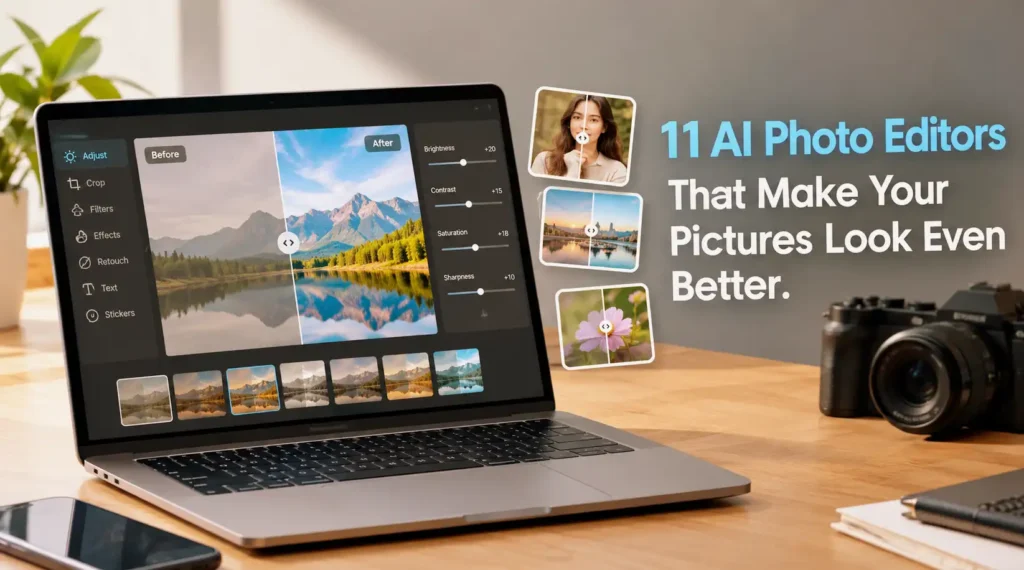
AI photo editing illustration showcasing tools for enhancing portraits, landscapes, and photo quality.
Editing photos has become much easier thanks to artificial intelligence. Tasks that once required advanced editing skills, such as removing unwanted objects, improving image sharpness, and correcting poor lighting, can now be completed in just a few clicks. Whether you’re preparing pictures for social media, creating content for a website, or simply improving your favorite memories, AI can help you achieve better results with less effort.
What makes AI-powered editing particularly interesting is how it simplifies complicated adjustments. Instead of manually selecting objects or spending ages tweaking colors, you can use automated tools to handle much of the work. Some applications can even reconstruct missing image details, replace backgrounds, or generate new visual elements based on a text description.
However, better editing doesn’t always mean applying the strongest effects or making every picture look completely different. A good photo editor should help you achieve your intended result while preserving the details that make an image feel natural. The best approach depends on the photograph itself and whether you want a realistic improvement, a creative transformation, or something in between.
With so many editing options available, finding the right solution can feel overwhelming. That’s why this article explores how AI is changing photography, what you should consider before choosing an editing application, and 11 AI photo editors that can help you make your pictures look even better.
How AI Is Changing Photo Editing
Traditional photo editing often involves adjusting exposure, contrast, saturation, sharpness, and other settings individually. More advanced tasks, such as removing a person from a crowded background or retouching a portrait, can require considerable patience. AI changes this process by recognizing objects, analyzing image content, and automatically applying adjustments that would otherwise take much longer to complete.
Another important development is generative AI, which can create or reconstruct image content rather than simply improve existing pixels. For example, some tools can fill empty areas after an object has been removed, extend a photograph beyond its original boundaries, or replace an ordinary background with a different scene. These capabilities offer more creative freedom, although generated details may occasionally look unrealistic or differ from the original scene.
What to Consider Before Choosing an AI Photo Editor
Before choosing an application, think about the kind of photos you usually edit. Casual users may only need automatic enhancement, background removal, and simple filters, while photographers and designers might prefer detailed color controls, layered editing, and more advanced generative features. Compatibility also matters because some applications work directly in a browser, while others require installation on a desktop computer or smartphone.
You should also consider pricing, privacy, and the amount of control you want over the final result. Free versions can be sufficient for occasional edits, but certain advanced features may require a subscription or paid credits. If you’re editing personal photographs or sensitive images, check how the service handles uploaded files. Ideally, choose a tool that saves time without forcing you to sacrifice image quality or creative control.
11 Best AI Photo Editors
AI photo editors differ in their strengths, from professional image manipulation to quick portrait improvements and beginner-friendly creative effects. The following selection covers a variety of editing needs, so you can compare the available options and find one that suits your workflow.
1. Adobe Photoshop
Adobe Photoshop is a powerful choice for users who want extensive control over their photographs while benefiting from AI-assisted editing. Its features include Generative Fill, Generative Expand, and AI-assisted object removal workflows, helping users modify image content, extend backgrounds, and remove distracting elements. These capabilities are useful for product photography, creative projects, portraits, and complex compositions that require more than basic adjustments.
Photoshop is particularly suitable for photographers, designers, and content creators who want flexibility over the final image. However, its extensive interface can take time to learn, and access to its full capabilities requires a paid plan. If you only want to brighten a selfie or apply a quick filter, Photoshop may offer more complexity than you need, but it becomes valuable when precision and creative control are priorities.
2. Luminar Neo
Luminar Neo is an AI-powered photo editor designed to make advanced image enhancement more accessible. It offers tools for improving skies, adjusting lighting, enhancing portraits, and refining landscapes without requiring you to perform every adjustment manually. Features such as Sky AI, Relight AI, and portrait enhancement tools can help transform an ordinary photograph into something more polished while reducing the time spent on repetitive editing tasks.
One of Luminar Neo’s biggest advantages is its approachable interface, which makes it appealing to photography enthusiasts who want impressive results without mastering a complicated editing workflow. However, some advanced features and editing capabilities may depend on the version or plan you choose. It’s particularly worth considering if you frequently edit landscape photos, travel pictures, or portraits and want AI to handle much of the technical work.
3. Adobe Lightroom
Adobe Lightroom combines traditional photo adjustment tools with AI-powered features that help photographers improve their images more efficiently. Its AI-assisted masking can identify subjects, backgrounds, skies, and other image areas, allowing you to adjust specific parts of a photograph without manually selecting every detail. Lightroom also provides tools for noise reduction, color correction, exposure adjustments, and organizing large photo collections.
Lightroom is especially useful if you regularly edit photos taken with a DSLR, mirrorless camera, or smartphone and want consistent results across multiple images. Its editing workflow gives you considerable control over the final appearance without requiring the more complex compositing tools found in Photoshop. However, accessing its full capabilities requires a paid subscription, and beginners may need some practice to understand how individual adjustments affect an image.
4. Canva
Canva is a convenient option for users who want to improve photos while creating social media graphics, presentations, thumbnails, or marketing materials. Its AI-powered features include tools for removing unwanted objects, editing selected areas, and modifying image backgrounds, depending on the available feature and subscription. Because photo editing is integrated with Canva’s design tools, you can enhance an image and immediately place it into a complete visual design.
The biggest advantage of Canva is its simplicity. You don’t need extensive photography knowledge to create attractive results, and its templates make it easy to maintain a consistent visual style across different projects. However, Canva isn’t intended to replace a full professional photo editor for every task, particularly when you need detailed color grading or advanced image manipulation. Some AI features also have usage limits or require a paid plan.
5. Pixlr
Pixlr is a browser-based photo editor that offers AI-assisted tools for users who want to improve images without installing heavyweight desktop software. Depending on the editor and plan, its features can include background removal, object removal, image generation, and automated editing options. It also provides familiar editing controls for cropping, adjusting colors, applying effects, and making quick corrections before sharing your pictures online.
One of Pixlr’s main advantages is its accessibility. You can open it in a compatible web browser and start editing without committing to a complicated workflow, making it useful for students, bloggers, and casual content creators. However, some advanced features may be restricted by subscription tiers or usage limits, and the browser-based experience depends on your device and internet connection. Pixlr is worth considering if you want a flexible editor for everyday images and simple creative projects.
You can also improve your daily workflow with These 10 Android Apps Could Supercharge Your Productivity, featuring useful apps that help you manage tasks, save time, and stay organized.
6. Fotor
Fotor focuses on making photo enhancement straightforward, particularly for people who want attractive results without adjusting every setting manually. Its AI-powered features can help improve image quality, retouch portraits, remove backgrounds, and reduce the appearance of blur in supported images. The platform also offers conventional editing controls and creative effects, allowing you to combine automatic enhancements with more personalized adjustments.
Fotor works well for social media photos, profile pictures, product images, and other everyday editing tasks. Its relatively approachable interface makes it easier for beginners to experiment with different improvements, even if they have little experience with image editing. However, not every feature is available for free, and automatic enhancement can occasionally produce results that look overly processed. Reviewing the image after applying AI adjustments helps ensure that skin tones, textures, and other important details remain natural.
7. Topaz Photo AI
Topaz Photo AI specializes in improving image quality rather than providing a complete graphic design environment. Its AI models are designed to address common photography problems, including image noise, soft focus, and insufficient detail. Depending on the image and available tools, the software can reduce noise, sharpen details, and upscale photographs to larger resolutions. This makes it particularly useful for rescuing images that look disappointing when viewed at full size.
Photographers may find Topaz Photo AI valuable when working with photos taken in low light, older camera equipment, or situations where capturing another shot isn’t possible. However, AI enhancement cannot reliably recover every detail that a camera never recorded, and aggressive processing may introduce artificial textures or unnatural facial features. The software is best treated as a specialized image-quality tool rather than an all-purpose editor, especially if your primary goal is to make existing photographs clearer.
8. Remini
Remini is an AI photo enhancement app best known for improving portraits and restoring the appearance of older or low-quality photographs. Its AI technology can sharpen facial details, enhance image clarity, and make certain blurry pictures look more defined. It’s particularly appealing if you have old family photos, compressed images downloaded from the internet, or smartphone pictures that lack the sharpness you expected.
One of Remini’s biggest strengths is its straightforward approach: you can often enhance a photo with just a few taps instead of adjusting multiple editing settings. However, the results can vary depending on the original image, and facial enhancement may generate details that weren’t clearly present in the source. This can occasionally make a person’s appearance look different from reality. Remini is worth considering for quick portrait improvements, but always compare the enhanced version with the original before sharing or preserving important photographs.
9. Photoroom
Photoroom is an AI-powered photo editor particularly useful for product photography, online selling, and promotional content. Its background removal feature helps separate products from their surroundings, while other tools can create replacement backgrounds, adjust image compositions, and produce cleaner-looking product visuals. These capabilities make it easier to prepare consistent images without building a dedicated photography setup or manually cutting out every object.
For small business owners and online sellers, Photoroom can save considerable time when preparing product listings for e-commerce platforms or social media. You can create a more uniform visual presentation across multiple products, which helps your store look organized and professional. However, some advanced features require a paid plan, and automatic background removal may struggle with complicated edges, transparent materials, or fine details. Reviewing the cutout carefully is important, especially when the accuracy of a product’s appearance matters to potential customers.
10. Picsart
Picsart combines AI-powered photo editing with creative design tools, making it suitable for people who enjoy experimenting with their images. Depending on the platform and subscription, its features may include AI-assisted object removal, background replacement, image generation, and effects that transform ordinary photographs into more artistic visuals. It also offers filters, stickers, text overlays, and other creative elements that help users produce distinctive content.
Picsart is particularly appealing to social media creators who want more than basic image correction. You can enhance a portrait, add decorative elements, and prepare a finished post within the same application. The trade-off is that its extensive collection of effects can make the editing experience feel busy, while some AI tools and premium assets require payment. If you prefer creative experimentation over strictly realistic photography, Picsart provides plenty of options to explore.
11. Google Photos
Google Photos is a practical option for anyone who wants to enhance everyday pictures without learning a complicated editing application. Its editing features vary by device, account, and availability, but supported versions offer AI-assisted tools such as Magic Eraser, Photo Unblur, and Magic Editor. These features can help remove distracting objects, improve the appearance of blurry images, and reposition subjects or modify parts of a photograph with relatively little effort.
One of Google Photos’ biggest advantages is its integration with photo storage and organization, particularly for people who already use it on Android devices. You can manage your photo library and make quick improvements without switching between several applications. However, access to certain editing features may depend on device compatibility, account eligibility, or usage limits. Google Photos is an excellent choice for convenient everyday editing, although users who need advanced layers, detailed retouching, or professional color grading may prefer a more specialized editor.
Conclusion
AI photo editors have made it easier than ever to improve image quality, remove unwanted distractions, enhance portraits, and create more polished visuals. Tools such as Adobe Photoshop and Lightroom offer extensive editing control, while Canva and Picsart focus on accessible creative workflows. Meanwhile, specialized options such as Topaz Photo AI and Remini are particularly useful when image clarity or portrait enhancement is your main priority.
The right choice ultimately depends on what you want to accomplish. If you sell products online, Photoroom may be a better fit than a professional photography application. If you frequently edit landscapes, Luminar Neo is worth exploring, while Google Photos is convenient for quick improvements to everyday pictures. Consider your budget, preferred device, and the features you actually need before committing to a paid plan.
Remember that AI works best as an assistant, not a replacement for your judgment. Always review the final image to make sure important details remain accurate and the result looks natural. With the right editor and a little experimentation, you can turn ordinary pictures into images you’re genuinely happy to share.
FAQs
1. What is an AI photo editor?
An AI photo editor is an application that uses artificial intelligence to simplify or automate image-editing tasks. Depending on the software, it can improve image sharpness, adjust lighting, remove unwanted objects, retouch portraits, replace backgrounds, or generate new visual elements. These capabilities help beginners and experienced photographers edit images more efficiently.
2. Are AI photo editors free to use?
Some AI photo editors offer free versions, including Google Photos and Canva, while others provide limited free access or paid subscriptions. Free plans may restrict advanced features, image exports, or the number of AI edits you can perform. Before choosing a tool, check its current pricing and free-plan limitations to determine whether it meets your needs.
3. Which AI photo editor is best for beginners?
Canva, Fotor, and Google Photos are good starting points because their interfaces make common editing tasks relatively straightforward. They can help you improve images without requiring extensive photography knowledge. Your best option depends on whether you prioritize creative designs, automatic photo enhancement, or convenient editing on your existing device.
4. Can AI photo editors fix blurry pictures?
Yes, some AI photo editors can improve the appearance of blurry pictures by sharpening edges, reducing noise, and reconstructing plausible image details. Tools such as Topaz Photo AI and Remini are designed for image enhancement, while Google Photos offers Photo Unblur on supported devices. However, results vary, and AI cannot guarantee the recovery of details that are completely missing from the original photograph.
5. Are AI-edited photos suitable for professional use?
AI-edited photos can be suitable for professional projects, including marketing materials, product listings, portraits, and website graphics. However, you should check the output for visual errors, review the tool’s licensing terms, and ensure that any generated or altered details are appropriate for your intended use. For journalism, scientific documentation, and other contexts where image authenticity matters, substantial AI alterations may be inappropriate or require disclosure.