7 Smart Plugs to Make Your Home Electronics Smarter
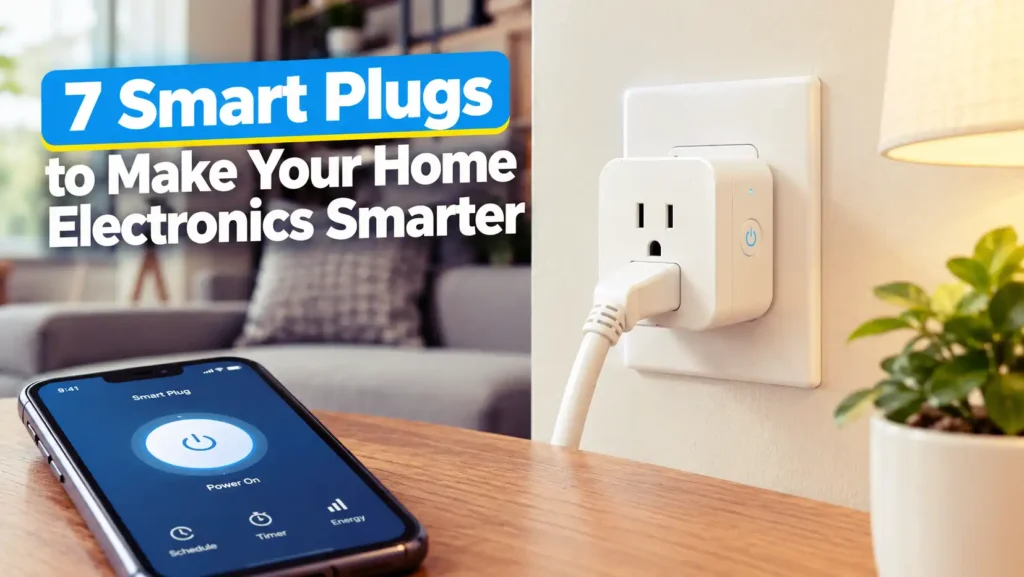
Smart plug illustration showcasing a simple way to control home electronics and make everyday living smarter.
Smart home tech doesn’t mean you have to swap out every appliance in your house for some pricey “smart” version. Sometimes, all it takes is a small gadget you plug right into the wall. That’s exactly what a smart plug is—just plug it in, and suddenly your simple lamp or fan gets a bunch of cool new features like remote control, timers, automation, or even voice commands.
Picture it this way: a smart plug is like a middleman between your wall outlet and your appliance. Just plug the smart plug into your outlet, hook up your device, and after a quick setup in an app, you’re off. Now your table lamp, fan, or phone charger can be scheduled, turned on and off from your phone, or made part of your daily routine even if you haven’t changed anything else.
And don’t worry—you don’t need to be a tech guru to get started. Most smart plugs connect over Wi-Fi and only take a couple of minutes to set up. Some fancier models come with extras like energy monitoring, support for newer standards like Matter or Thread, and play nicely with platforms like Alexa, Google Home, Apple Home, and Samsung SmartThings.
Of course, with so many options (and they all sound kind of the same at first glance), it can get confusing. Some plugs keep things basic and simple, others track energy use or work outdoors, and some are all about compatibility with your other smart devices. In this guide, I’ll show you seven smart plugs that can give your regular old appliances a serious upgrade, no replacements needed.
So what exactly is a smart plug?
Think of it as a power-control adapter that sits between your wall outlet and a regular appliance. Instead of walking over to flip the switch, you grab your phone or use a voice assistant and tell it what to do. You can set schedules, automate routines, or just hit a button to turn things on or off—even if you’re not home. Suddenly, that old lamp or fan acts a whole lot smarter.
Most smart plugs work over Wi-Fi, though some newer models use Thread or Zigbee for better connection in bigger setups. Once you connect your smart plug, you control it using an app or through your favorite smart home system. Depending on the model, you’ll get features like timers, remote access, energy tracking, automatic shutoff, and more.
So what can you actually do with a smart plug?
The basics are pretty straightforward: turn stuff on and off from anywhere. But once you start playing around, you’ll find plenty more uses. Set your bedroom lights to shut off at midnight. Have your fan start up a few minutes before you get home. Turn off the iron, straightener, or coffee maker remotely so you don’t have to turn around and check. The smart plug itself doesn’t make your appliance “think”—it just puts you in better control.
Looking for the right smart plug?
Before you buy, stop and think about what you want out of your smart plug. The most important thing is compatibility—with your phone, voice assistant, or whatever smart home platform you already use. Not all plugs work everywhere, and a plug that’s perfect for a little lamp won’t cut it for a space heater or air conditioner.
Ask yourself if you need extras like energy monitoring, Matter or Thread support, local controls, schedules, or if you’ll use it outside. There’s no point paying for a bunch of features you’ll never use—but if you’re thinking about automating more of your home, those extras can come in handy.
Compatibility really counts.
Make sure your smart plug plays well with Alexa, Google Home, Apple Home, SmartThings, or whatever else you use. If you’re building a home full of connected gadgets, Matter support is worth a look because it helps different brands work together smoothly.
Tracking your energy use
If you want to know how much electricity a certain lamp or gadget is actually using, a plug with energy monitoring gives you the numbers right in its app. This info can help you spot patterns, waste, and even save a little on your next power bill.
Wi-Fi, Thread, or Zigbee?
Wi-Fi smart plugs are just about plug-and-play: they hook right up to your existing network, and you’re ready to go. If you’re planning to build a larger smart home system with lots of gadgets, Thread and Zigbee plugs make more sense—they’re made for connecting lots of devices together, although you’ll need the right hubs. In the end, it comes down to what works best with your current setup.
7 Best Smart Plugs for Your Home
Alright, let’s get into the smart plugs themselves. There’s a lot more to these gadgets than just plugging them in and switching things on or off. Each one brings its own flavor—some focus on things like tracking energy use, while others double down on standards like Matter or Thread, and a few are tough enough for the great outdoors. Let’s break down what makes each of these plugs worth your attention, and why one might fit better in your home than the next.
1. TP-Link Tapo P110M
Meet the TP-Link Tapo P110M—a small but mighty smart plug that’s about more than just flicking a lamp on with your phone. This one comes loaded with things you usually wish you had but never seem to find all in one device: Matter compatibility, energy tracking, voice control, handy scheduling, and even auto-off features for those “Did I leave the fan on?” moments. It’ll fit right in with Alexa, Google Assistant, or smart-home setups you’ve cobbled together over the years.
One big perk: It’s slim. Lots of smart plugs are chunky and hog both outlets, but the P110M was clearly designed with real-life power strips in mind. Another thing—it actually tells you how much juice your device is using, so you can finally see what those chargers and speakers are costing you. For anyone who wants something simple but refuses to settle for basic, the P110M strikes a nice balance between practical and, well, actually smart.
Why It Stands Out
The secret sauce here is that you’re not just buying another remote-controlled outlet—you’re getting Matter support (so you won’t be stuck in one smart-home “walled garden”) plus genuinely helpful energy monitoring. The Tapo app even estimates your energy costs, which makes you feel both more in control and just a little bit smarter about your power bill.
2. Kasa Smart Plug KP125M
If you’ve played around with smart-home tech before, you’ve probably come across Kasa. The KP125M keeps that same no-nonsense approach but adds Matter compatibility and energy tracking. You get your usual remote control and voice commands, but there’s more going on behind the scenes—like scheduling, an away mode, and long-term power-consumption stats.
This one’s especially nice if you already use other Kasa gear. No need to juggle separate apps or ecosystems—just plug it in, connect, and you’re golden. Matter support means you can keep your options open if you want to mix and match platforms down the road.
Energy Monitoring Without Guesswork
Let’s be honest—having statistics about everything is kind of fun. And instead of squinting at your electricity bill wondering what’s sipping power all month, the KP125M actually gives you usage data for whatever’s plugged in. You’ll start seeing patterns, and that can help you make changes—maybe you’re leaving stuff on overnight, maybe that aquarium heater runs way more than you thought.
3. Meross MSS315 Matter Smart Plug
The Meross MSS315 is for folks who want both Matter and energy tracking but don’t want to get stuck with a plug that won’t play nice with other brands. It runs on ordinary 2.4GHz Wi-Fi, so it works in pretty much every home, and it can handle bigger appliances thanks to a high maximum output (just check your regional specs). Meross’s app gives you both a current snapshot and a history of your power usage, so you can dig into the data whenever curiosity hits—or when your utility bill does.
Matter support is more than just a buzzword here. It means you can move the plug from Google Home to HomeKit or Amazon Alexa without starting from scratch, as long as you have a compatible hub or controller. That lets you change platforms or add new smart-home brands whenever you feel like it, without tossing old devices into the drawer of forgotten tech.
A Good Fit for a Multi-Platform Home
If your home’s a mix of ecosystems (maybe you started with Alexa but love HomeKit too), the MSS315’s commitment to Matter standards means you won’t be locked into one company forever. You get more freedom—plus the satisfaction of knowing your gear will probably still work years from now.
If you enjoy horror games that build tension without relying on cheap scares, check out 6 Horror Games That Are Somehow Scarier Without Jumpscares for some seriously creepy picks.
4. Eve Energy
Eve Energy stands out for a few reasons—not just the usual Wi-Fi trickery, but Thread and Matter are both built in. If you’re into running your smart home locally, without a bunch of cloud stuff, or you just like future-proofing, this one will catch your eye. It’s compatible with all the big names—Apple Home, Google Home, Alexa, SmartThings, and Home Assistant—so you almost certainly won’t have trouble connecting.
The real story here is Thread. Instead of hogging bandwidth on your Wi-Fi, Thread devices talk to each other in a mesh network made especially for smart homes. That means things should run smoother, more securely, and with less lag. Eve positions this as a “Full Thread Device” which actually helps boost the reliability of your whole Thread network. Just know—you’ll need the right hub and a Thread Border Router for everything to work, but once set up, you’re ready for a smooth smart-home experience.
Why Thread Makes a Difference
Lots of smart plugs just connect to Wi-Fi and call it a day, but Thread turns the plug into part of a bigger, stronger system. Thread’s mesh network shares the load, so if one device goes offline, others keep things running smoothly. That means fewer dropped connections and less frustration—exactly what you want when turning on the holiday lights or starting your coffee maker before you get out of bed.
5. Aqara Power Plug H2 EU
The Aqara Power Plug H2 EU is all about giving you options. If you can’t decide between Matter-over-Thread and Zigbee, you don’t have to—the plug handles both. Aqara says you can run it over Thread if your setup supports Matter, or stick with Zigbee if you’re already using their hubs. That’s pretty handy if you’re piecing together an Aqara-centric smart home but still want the freedom to play with the latest Matter-compatible gadgets.
It does more than just turn stuff on and off. You get full-on energy monitoring, with real-time stats, plus daily and monthly usage reports. Since it works as a powered network device, it helps reinforce your Zigbee or Thread network, depending on which way you go.
Power Monitoring and Automation
Got a creative streak? The energy data isn’t just for fun charts—it helps you cook up smart automations. Track how much juice an appliance uses and plug that info into routines, so your smart home can make better decisions. Just don’t forget to check if the plug fits your region and the specs before you buy.
6. Shelly Plug M Gen3
If you like rolling up your sleeves and tinkering with your smart home, the Shelly Plug M Gen3 will probably grab your attention. This thing talks to Matter, handles power monitoring, hooks into Wi-Fi and Bluetooth, and gets along with all sorts of automation platforms. Shelly says it’s good for up to 13A or 3000W, so it packs some punch.
It’s not just a simple on/off switch. Shelly lets you try out schedules, manage local actions, and tailor automations exactly how you want. That’s a dream for Home Assistant fans and people who hate sticking to bland, basic routines.
More Than Just an On/Off Switch
With built-in power monitoring, local controls, and tons of automation options, the Plug M Gen3 goes well beyond basic smarts. The extra features really shine for anyone building a complex smart home. If you just want to turn a lamp on and off, though, you might find all the bells and whistles a little extra.
7. Wyze Plug Outdoor
The Wyze Plug Outdoor steps out of the living room and into the yard. It’s made for weather—IP64 rated, so you don’t have to panic if it gets wet. You get two outlets, and each one works independently. There’s also energy tracking, a built-in light sensor, and support for voice control.
That dual-outlet setup is actually pretty clever. You can run your patio string lights on one and a fountain on the other, and manage them separately. No need to power up both if you just want the lights on for the evening.
Useful for Outdoor Automation
Honestly, the built-in light sensor is a big win for outdoor use. Instead of sticking to rigid schedules, the plug responds to daylight—so your lights come on when it actually gets dark, not just when the clock says so. It makes your outdoor scenes feel a lot smarter, especially if you want to nail those dusk-to-dawn routines.
Smart Plug Ideas You’ll Actually Use
A smart plug isn’t just a techy gimmick—it gets a whole lot more useful once you connect it to something you use all the time. You don’t need your house overflowing with smart gadgets to enjoy a bit of home automation. Instead, pick a few annoying, everyday chores—like switching off a lamp before bed or kicking on a fan when you get home—and let the plug handle them for you.
What matters is pairing your smart plug with the right appliance. Remember, a smart plug only controls the power—on or off, nothing fancy. It won’t press buttons for you or tweak an appliance’s settings. So look for devices that bounce right back to their previous state when the power comes back. When they work this way, smart plugs actually feel pretty magical.
Automate Your Mornings
Mornings get easier when you let a smart plug do the lifting. Plug in a coffee maker that turns on as soon as it gets power, and suddenly you’re waking up to freshly brewed coffee without fumbling for buttons. The trick? Only use smart plugs with appliances meant to run unattended, like the right kind of drip coffee makers or kettles.
Take Lamps and Fans Off Your Checklist
Lamps and simple fans are practically made for smart plugs. Forget about reaching for the switch at night: schedule your bedroom lamp to switch off when you usually crawl into bed. Or have a fan whir to life just as you walk in after work. It’s simple, but it feels like the future.
Keep an Eye on Power-Hungry Gear
If your smart plug tracks energy use, you can finally stop guessing about what’s hogging electricity. Plug in your computer, game console, or entertainment system and watch the numbers roll in over days or weeks. Real data always beats wild guesses—especially if you’re looking to shrink your energy bills.
Important Safety Tips Before Using a Smart Plug
Smart plugs are convenient, but they are still electrical devices that need to be used within their specifications. Always check the smart plug’s voltage, current, wattage, and supported load type before connecting an appliance. High-power devices, heating equipment, and appliances with motors can place very different demands on a smart plug compared with something simple like an LED lamp.
You should also consider where the plug will be installed and whether the environment is appropriate for it. An indoor smart plug should not simply be placed outdoors because it happens to fit the outlet. If you need outdoor control, use a model specifically designed and rated for outdoor conditions.
Don’t Ignore the Appliance’s Own Controls
A smart plug only controls whether electricity reaches the appliance. It does not automatically control the appliance’s internal buttons or settings. If a device requires you to press a physical power button after receiving electricity, turning the smart plug on will not necessarily make that device start operating.
How to Choose the Right Smart Plug for Your Home
The easiest way to narrow down your options is to start with your existing smart-home ecosystem. If you already use Google Home, Amazon Alexa, Apple Home, Samsung SmartThings, Home Assistant, or Aqara products, look for a plug that supports the platform and connectivity method you already have. This can prevent unnecessary compatibility headaches later.
Next, decide which features actually matter to you. Basic remote control and scheduling may be enough for a lamp or fan, while energy monitoring becomes more useful if you want to track electricity consumption. Matter can also be worth considering if you want broader ecosystem flexibility, while Thread or Zigbee may make more sense for a larger smart-home network with compatible infrastructure.
Why Smart Plugs Are Worth Adding to Your Smart Home
Smart plugs are useful because they let you upgrade existing electronics instead of replacing them with expensive smart versions. That makes them a relatively simple entry point into home automation. A regular lamp, fan, or suitable appliance can become part of a schedule or routine with only a small device added between the appliance and wall outlet.
They can also help you build automation gradually. You do not have to turn your entire home into a science-fiction command center overnight. Start with one or two repetitive tasks, see how useful they are, and then add more smart plugs where they genuinely make everyday life easier.
Convenience Without Replacing Your Appliances
One of the biggest advantages is that you can keep using appliances you already own. Instead of buying a new smart lamp simply because you want remote control, you can potentially connect your existing lamp to a compatible smart plug and control its power through an app or voice assistant.
Useful Automation for Everyday Routines
Scheduling is where smart plugs can become genuinely handy. You can create routines around your normal daily habits, such as switching a lamp off at bedtime or turning suitable electronics off after a certain period. Once configured correctly, these small automations can quietly handle repetitive jobs in the background.
What Smart Plugs Can’t Do
Despite their name, smart plugs do not magically transform every ordinary appliance into a fully smart device. Their primary job is controlling electrical power. If an appliance needs a physical button press, a remote control command, or a specific setting after receiving power, the smart plug alone cannot perform those actions.
This distinction is important when deciding what to connect. A device with a simple mechanical power switch may behave exactly as expected when electricity is restored, while another appliance may remain off until you interact with its controls. Checking how an appliance behaves after a power interruption can save you from an automation that looks clever on paper but does absolutely nothing in practice.
Power Control Is Not Full Device Control
Think of a smart plug as a smart gatekeeper rather than a universal remote. It decides whether electricity reaches the appliance, but it generally cannot adjust brightness, temperature, fan speed, volume, or other functions unless the appliance itself provides another compatible smart-control mechanism.
Final Things to Check Before Buying
Before choosing one of these smart plugs, check three things: compatibility, electrical specifications, and the features you actually need. A Matter-enabled model can be useful if you want ecosystem flexibility, while a basic Wi-Fi plug may be perfectly adequate for simple schedules. If energy monitoring matters to you, make sure the specific model supports it rather than assuming every smart plug does.
Also pay attention to regional versions because plug designs, voltage requirements, current ratings, and supported features can differ between markets. A smart plug is a small purchase, but matching it correctly to your home’s electrical system and your smart-home platform is what makes the experience smooth rather than frustrating.
Conclusion
Smart plugs are one of the simplest ways to bring useful automation into your home without replacing all your existing electronics. A small adapter can add remote control, schedules, voice commands, energy monitoring, and smart-home integration to suitable everyday appliances.
The seven options covered in this article take different approaches. Some focus on Matter and energy monitoring, while others bring Thread, Zigbee, outdoor functionality, or more advanced local automation into the mix. The right choice ultimately depends on your existing smart-home ecosystem, the appliances you want to control, and the features you actually plan to use.
Before buying, always check compatibility, electrical ratings, supported connectivity, and the appliance’s behavior when power is restored. Once those basics are covered, a smart plug can be a surprisingly practical upgrade—small enough to disappear behind your furniture, but useful enough to make everyday routines a little smarter.
FAQs
1. What can I connect to a smart plug?
You can connect many suitable household electronics, including lamps, fans, chargers, coffee makers, and some entertainment devices, as long as their electrical requirements are within the smart plug’s specifications. Always check the manufacturer’s ratings before connecting high-power, heating, or motor-driven appliances.
2. Do smart plugs use a lot of electricity?
Smart plugs consume a small amount of electricity themselves because they need to remain powered for communication and control. The exact consumption varies between models and connection technologies, so checking the manufacturer’s specifications is the best way to determine standby power usage for a particular plug.
3. Do smart plugs work without Wi-Fi?
It depends on the model and the feature you are using. Some smart plugs can continue running previously configured schedules or local automations when internet access is unavailable, while cloud-dependent features may stop working. The exact offline behavior should be checked in the manufacturer’s documentation.
4. Is Matter better than Wi-Fi for smart plugs?
Matter and Wi-Fi are not direct alternatives because they serve different purposes. Matter is a smart-home communication standard, while Wi-Fi is a networking technology. A smart plug can therefore use Wi-Fi for its network connection while also supporting Matter for communication with compatible smart-home platforms.
5. Can a smart plug reduce my electricity bill?
A smart plug cannot automatically reduce your electricity bill simply by being installed. However, models with energy monitoring can show how much electricity connected appliances consume, while scheduling and automatic shutoff features can help prevent suitable devices from running longer than necessary. The actual savings depend on how you use those features.