5 Apps Considered the Worst for Your Privacy
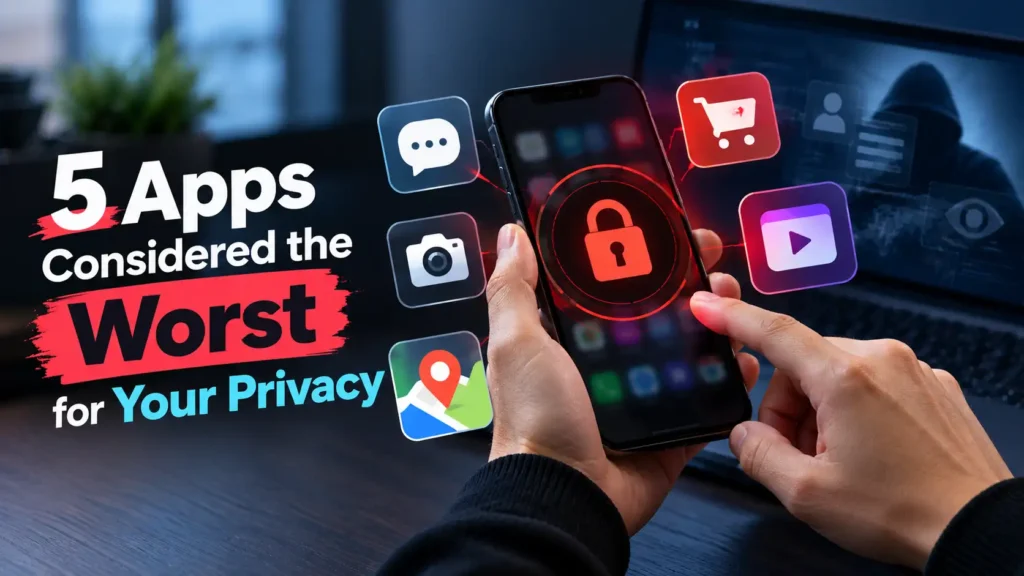
Privacy risks illustration showing mobile apps and data security concerns.
The tricky part is that an app doesn’t need to look suspicious to raise privacy concerns. A popular social media platform, a free messaging service, or a short-video app can collect different types of information to personalize content, measure engagement, support advertising, or improve its services. These practices may be described in privacy policies, but understanding what they mean in practice isn’t always easy.
That doesn’t automatically mean every app that collects extensive data is dangerous or that its developers are misusing your information. However, the amount of data collected, how it is shared, how long it is retained, and how much control users have over it are all worth considering. A free app might not charge you money, but your personal information can still play a role in its business model.
In this article, we’ll explore five apps frequently discussed in privacy debates, examine the main concerns associated with each one, and look at practical ways to reduce your exposure. The goal isn’t to scare you into deleting every app on your phone. Instead, you’ll learn how these services handle personal information and what you can do to make smarter decisions about your digital privacy.
What Makes an App Bad for Your Privacy?
An app can become a privacy risk when it collects more personal information than necessary, tracks your activities across different services, or shares your data with third parties without giving you meaningful control. Other warning signs include unclear privacy policies, excessive permission requests, and limited options for deleting your information. However, collecting data doesn’t automatically mean an app is malicious. The important questions are what information it gathers, why it needs that information, how long it keeps it, and whether you can limit its use.
Why Should You Care About App Privacy?
Your personal data can reveal much more than you might realize. Your location history may expose your daily routine, your browsing habits can reveal your interests, and your online interactions can help companies build detailed profiles about you. Depending on how information is handled, these profiles may be used for targeted advertising or could become vulnerable if a data breach occurs. Paying attention to app privacy helps you maintain greater control over your digital identity without giving up every convenience your smartphone offers.
How Can You Protect Your Privacy When Using Apps?
Protecting your privacy doesn’t necessarily mean deleting every app that collects personal data. Start by reviewing your phone’s app permissions and disabling access that an app doesn’t genuinely need, such as contacts, precise location, or your microphone when those features aren’t in use. You should also use strong, unique passwords, enable two-factor authentication where available, and regularly check your account’s privacy and advertising settings. These simple habits can reduce unnecessary data exposure while allowing you to keep using the services you enjoy.
5 Worst Apps for Privacy
1. TikTok: A Short-Video App With Extensive Data Collection
Honestly, TikTok’s everywhere these days—scroll and you’ll find everyone from your neighbor to celebrities uploading clips. But here’s the thing: TikTok scoops up a ton of data about you. It grabs your account details, what you watch, search history, device IDs, IP address, location info, and exactly how you interact with content and ads. Depending on what permissions you give, it’ll also collect your contacts, purchase info, and everything attached to those videos, photos, and audio you upload. Even your activity outside TikTok—stuff from their ad partners—gets fed into their system.
So why’s this worrying? Because all those little data points add up to a spooky level of detail about your life. The things you watch, how long you linger, who you follow—they all help TikTok personalize your feed and ads. Sure, it makes finding fun videos easier, but do they really need to know that much about you? If you’re hooked on TikTok, try dialing back what you share: shed location access, stop syncing contacts, check your ad preferences, and go private if you want to keep strangers out of your business. Oh, and dig around the account settings—you can see what data TikTok holds or download your info for a reality check.
2. Facebook: A Social Network That Knows a Lot About You
Facebook’s been around forever—connecting friends, recommending groups, serving up local news—but it’s not exactly shy about grabbing your info. Meta’s data collection stretches far beyond what you post or share. They’re tracking your profile, your comments, likes, device info, and basically everything you do across their apps. Meta also gets info from other businesses and partners, including what you do on websites and apps that use Meta tools. All of it feeds into their ad machine, personalizing what you see and how advertisers target you.
What’s wild is just how much can pile up if you’ve used Facebook for years: your likes, group memberships, interactions, page visits…they all create a pretty thorough profile of your interests and habits. It doesn’t mean Facebook blasts your secrets everywhere, but it’s worth checking your privacy settings. Limit who can see your posts, ditch apps you no longer use, review activity from outside Facebook, and tighten up the info you share—especially on public posts. Don’t hand over details you wouldn’t want floating around.
You can improve your daily routine with the right tools, and These 10 Android Apps Could Supercharge Your Productivity highlights useful apps that can help you stay organized, save time, and get more done with your smartphone.
3. Instagram: When Your Photos Reveal More Than You Think
Instagram’s fun for sharing photos, stories, and everyday snippets, but it’s collecting data like the other Meta apps. Your account info, device data, content interactions, all go into their system. They use it to personalize content and ads, and if you’re shopping or following influencers, Instagram’s learning what makes you click. Partners and other Meta products join in, shaping what pops up in your feed.
Thing is, you might reveal more than you realize. Snap a pic and you might be showing your home, office, school, or favorite hangout. Share often, and people (or algorithms) can start piecing together your daily routine. To play it safer, set your account to private if you’d rather keep followers limited, check your followers list, skip posting real-time location updates, and control which third-party apps connect. Keep in mind—even if your account’s private, Instagram still collects plenty about your activity.
4. Snapchat: Disappearing Messages Don’t Mean Zero Privacy Risks
Snapchat’s known for disappearing photos and quick messages, making it feel laid-back and private. But don’t be fooled—just because your snaps vanish, doesn’t mean the info does too. Snapchat gets your account details, contacts (if you let it), device info, how you use features, and location data if you grant access. They use this to personalize everything from stories to ads. Features like Snap Map and those wacky lenses involve even more info, depending on your permissions.
Here’s the catch—“disappearing” isn’t the same as “private.” Someone can screenshot your message, record their screen, or just snap a photo with another phone. And Snapchat keeps some info on file, depending on their rules and legal stuff. Sharing your location? Double-check who can see it. If you want more privacy, control who contacts you, switch Snap Map to Ghost Mode, and check what you’ve given access to. And remember, don’t send anything you wouldn’t want saved or shared—once it’s out there, it can stick around longer than you expect.
5. WhatsApp: Private Chats With Important Privacy Trade-Offs
People love WhatsApp for chatting with friends, family, coworkers. End-to-end encryption protects your messages and calls from prying eyes—only you and the recipient can see them, not even WhatsApp. But that doesn’t mean WhatsApp isn’t collecting data. They log your account info, device details, usage patterns, and sometimes, your contacts if you upload them. Some of your data gets shared with Meta companies, depending on how you use features and where you live.
The big privacy trade-off? Encryption covers your messages, but not your metadata. Things like your phone number, usage habits, device info—they’re still processed. And don’t forget about backups: if you use cloud backup, your messages might be less protected. For better privacy, turn on encrypted backups, limit who can see your profile photo and last-seen status, watch out for random group invites, and be wary with business accounts. Keep WhatsApp updated, and use two-step verification. It’s a solid app for protecting message content, but make sure you’re not ignoring everything else they’re collecting in the background.
Conclusion
Honestly, protecting your digital privacy has to start with knowing where your info goes every time you use an app. TikTok, Facebook, Instagram, Snapchat, WhatsApp — they’ve all got their perks, but each one handles your data a little differently. Sometimes they’re tracking what you do, sometimes they’re running ads or sharing data behind the scenes. That doesn’t mean you should ditch them all or panic. What matters is not blindly trusting any app just because everyone else is using it — you’ve got to look at how they actually treat your personal info.
You don’t need to wipe your phone clean either. It helps to just check what permissions you’re handing over, cut off location or contact access you don’t need, beef up your passwords, and dig through privacy settings now and then. Think before you post or connect random third-party services, and keep an eye on what you’re revealing in messages. A couple tweaks here and there can seriously cut down what you’re sharing.
In the end, your privacy matters — and honestly, a few extra clicks in your settings is worth it. Apps should work for you, not make you wonder if they’re watching your every move. If you stay curious and choose wisely, you can hang onto the good stuff these apps offer without giving up control of your digital life.
FAQs
1. Which app is the worst for privacy?
There’s no single “worst” app. Each one grabs different kinds of data and comes with its own risks. TikTok gets tons of heat for how it handles data and possible security stuff, while Facebook and Instagram (both owned by Meta) are notorious for their heavy ad tracking and profiling. Which app is sketchiest really depends on what you share, what settings you use, and how much you’re okay with being tracked.
2. Are these apps listening to my private conversations?
There’s no solid proof that all five apps are secretly recording your every conversation for ads. They might use your microphone when you need an audio feature, but usually, that’s down to permissions and your device’s rules. If you’re worried, go into your settings and turn off mic access unless the app actually needs it. Double-check if anything’s running in the background that shouldn’t be.
3. If I delete an app, does all my data vanish?
Nope. Removing an app takes it off your phone and deletes local stuff, but your data might still sit on the company’s servers. If you want it all gone, you’ll probably have to request account deletion separately inside the app or on their website. Sometimes companies hang on to bits of data for legal or security reasons, depending on their policy and the law.
4. Are free apps riskier for privacy than paid ones?
Not always. Free apps make money with ads, subscriptions, or other deals, and yeah, that usually involves collecting data. But don’t assume paying for an app automatically means better privacy — paid apps can pull data too. Rely more on the app’s privacy policy, the permissions it asks for, how it handles your info, and what privacy settings you get, rather than jumping to conclusions based on price.
5. How can I tell if an app is collecting too much info?
Open your phone’s privacy settings, see what permissions you’ve handed out — like access to your location, contacts, mic, camera, and photos. Ask yourself if the app actually needs all that just to work: a navigation app needing location makes sense, but a calculator shouldn’t ask for your camera. Check out privacy details in the app stores, dig into advertising settings, and clean out any apps you don’t actually use. That makes a big difference.