7 Ways to Recover Your TikTok Account After It’s Deleted, Suspended, or Banned
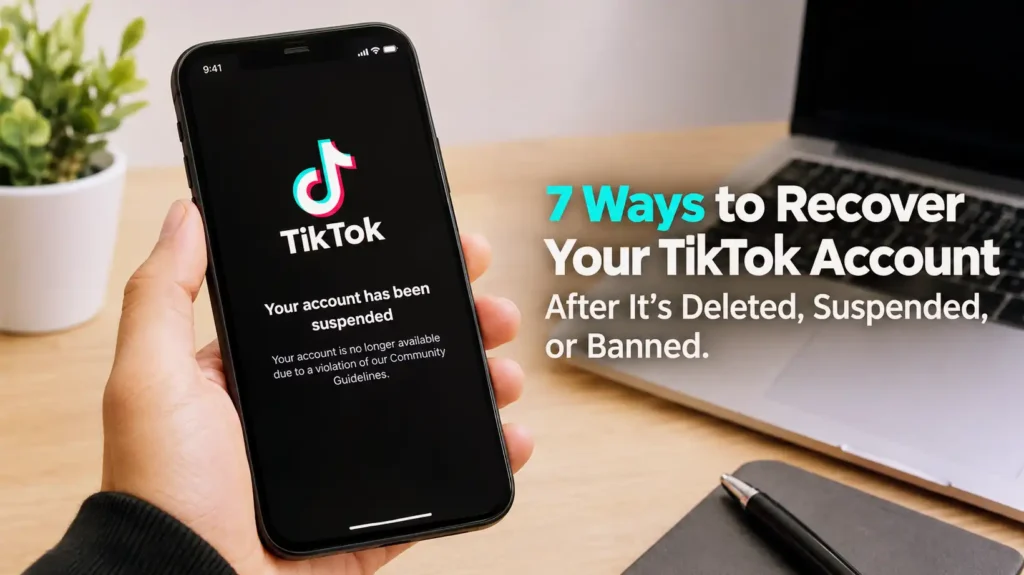
TikTok account recovery after deletion, suspension, or ban illustration.
Don’t freak out just yet. Just because you can’t log in to your TikTok account doesn’t mean it’s gone for good. You’ve still got options. You can try resetting your password, file an appeal, report the problem, or follow a few steps to get back control if your account got hacked.
First things first—figure out why you lost access. Jumping straight into random solutions is usually a waste of time. If you forgot your password, you’ll need one method. If TikTok banned you, that’s a totally different scenario. And if a hacker changed your info, hammering the login button over and over isn’t going to fix things.
In this guide, I’ll run through seven ways to get back into your TikTok account after it gets deleted, suspended, or banned. We’ll kick things off with the simplest steps and work our way to appeals, tightening up your account’s security, and contacting TikTok if nothing else works.
What Really Happened to Your TikTok Account?
Before you try to recover your account, you need to know exactly what went wrong. From the user side, TikTok trouble can all look the same, but the actual causes are seriously different. Maybe you just can’t log in. Maybe your account got restricted, or TikTok took some sort of action against it. Maybe someone else got in and switched up your login details.
Sorting this out matters because there’s no one-size-fits-all fix. If you just can’t remember your password, resetting it is the way to go—but that’s not going to help if there’s a ban on your account. On the flip side, appealing a ban won’t do a thing if you’re just entering the wrong email. Get clear on the problem first, then use the method that actually applies.
Deleted vs. Suspended vs. Banned
A deleted account means your profile’s been removed, either because you did it yourself or through some other process. If your account is suspended, you’re usually losing access to certain features, sometimes just temporarily. A ban is more serious and could be either temporary or permanent, depending on why TikTok imposed it. When you see your profile or a warning pop up, pay close attention to how it’s worded—that info can tell you what you’re dealing with.
Check the Exact Message TikTok Shows You
When you try to log in, don’t just swipe away the notification and start frantically hunting for fixes. Actually read the message. Look for keywords like banned, suspended, restricted, disabled, or see if TikTok tells you to file an appeal. Sometimes TikTok gives you a way to recover your account right on that screen, and if that happens, that should always be your first move.
How to Recover a Deleted, Suspended, or Banned TikTok Account
First, figure out what’s going on with your account—what actually happened. Once you know, you can work through the different recovery options. Honestly, you’d be surprised how often a supposed “ban” is just a login mix-up, a forgotten password, or a problem caused by someone sneaking into your account.
If it turns out TikTok really did restrict or ban your account, don’t just assume you’re out of luck and have to start from scratch. TikTok actually has ways to report problems and appeal some of its decisions. Here are seven practical steps you can try, starting with the basics and working up to more involved solutions.
1. Try Logging Back Into Your TikTok Account
I know—it’s obvious. But it’s always step one. Sometimes, your account looks gone, but it’s still there. Maybe you’re entering the wrong details by mistake, using an old email, or you have more than one account and just mixed things up. This can easily happen if you’ve switched phones, reinstalled TikTok, changed emails, or forgotten your login information.
Try logging in with your phone number, your email, or your TikTok username—whatever you used to set up the account. If you have multiple profiles, make sure you’re putting in the right info for the right one. If TikTok lets you log in, then great! It wasn’t deleted or banned after all.
Use Your Original Email, Phone Number, or Username
Think back: how did you first set up your TikTok? Use that method. Registered with a phone number? Try that. Used an email? Go with it. Your username is useful, too, especially if you’ve juggled a few accounts over the years.
Reset Your TikTok Password
If you know what account you’re after but just can’t remember the password, use the “Forgot password?” option. As long as you still have access to the phone or email linked to the account, TikTok will let you reset it. Once you’re back in, change your password and check over your security settings—especially if you think someone else might have gotten in.
2. Submit an Appeal if TikTok Banned Your Account
If you get a message from TikTok saying you’re banned, check if there’s an option to appeal. A ban isn’t always the end—sometimes you can tell your side. If you think TikTok made a mistake, or something happened that you can explain, this is your shot to clear things up.
Don’t use the appeal like a place to vent or complain. Instead, stick to the facts: explain what happened, why you think the ban is wrong, and keep it calm and clear. If someone else got into your account before you got banned, mention that right away. It helps give context.
Where to Find the Appeal Option
Sometimes TikTok gives you an “Appeal” button right in the notification that tells you your account’s restricted. Usually, you’ll find it by going to your Inbox → System notifications → Account updates. Just read what’s on your screen—TikTok changes things from time to time, so follow the directions you see rather than old instructions online.
What to Include in Your Appeal
When you write your appeal, get straight to the point. Add your username, say what happened, when, and why you think the ban was unfair. If you know exactly which video or action caused it, mention it—don’t pretend nothing happened. And if your account was hacked, explain that and any warning signs you noticed.
3. Use TikTok’s Report a Problem Feature
If logging in won’t work and there’s no clear appeal option, try the “Report a problem” feature. This is especially useful if you have an account access issue or something weird that a password reset won’t fix. Instead of banging your head against a wall and trying to log in again and again, tell TikTok support what’s happening.
When you report the problem, be as clear as you can—give your username, exactly what happened, when you lost access, and what the error message says. If you’ve tried appeals or password resets, mention it. The more details you give, the less back-and-forth you’ll need later.
Report the Account Access Problem Clearly
Right now, you can start from your Profile, then tap Menu → Settings and privacy → Report a problem. Pick the topic that fits best. If nothing matches perfectly, just pick the closest one and fill in the details. The clearer you are, the easier it is for support to help you.
Avoid Sending Repeated Spam Reports
It’s easy to get frustrated and send the same report over and over, hoping for a faster answer. Don’t do it. Spamming support doesn’t help, and it can actually make it harder for both you and them to keep track of things. Instead, send one solid, detailed report—save any screenshots or info that might help—and then wait for their reply. If they want more info, give it, but don’t just keep resending the same question.
For more TikTok tips, check out How to Clear All Your TikTok Watch History to learn how to remove your previously watched videos and keep your TikTok activity more private.
4. Recover Your Account if It Was Hacked
Sometimes a TikTok account just disappears because someone hacked it—not because you broke any rules. An attacker can change your password, email, phone, or username, and then lock you out. Worse, they might post stuff that breaks TikTok’s rules, getting your profile banned while you’re still scrambling to get in.
If you think someone hacked your account, you’ve got two problems: getting it back, and locking it down so it doesn’t happen again. Use TikTok’s official recovery options, but don’t forget your email and phone—those are often the keys to your TikTok. Secure those accounts first, or else someone could just hack you again, even after you recover TikTok.
Look for Signs of Unauthorized Access
Think back—did you get logged out suddenly? Did your username or profile photo change without you touching it? Friends seeing weird videos or messages from your account? These are all red flags. If you got an unexpected logout, check your security settings before panicking about a permanent ban.
Secure Your Email and Phone Number First
Make sure you still control the email and phone you linked to TikTok. If your email got hacked too, change its password right away and turn on any extra security you can. Once you’re back on TikTok, reset your password there and review your account’s security settings. Recovering the account is pointless if the hacker can stroll back in.
5. Check Whether Your Account Was Accidentally Restricted
Not every restriction means a forever-ban. Sometimes, TikTok only restricts certain features—not the whole account. It can be confusing: one minute, you’re on your profile; the next, some stuff just doesn’t work.
Before you panic, check your notifications and account status. TikTok often tells you about recent violations or restrictions. If you think there’s been a mistake, appeal or report it. And pay attention to what caused the problem—so you don’t end up here again.
Review Your Account Status
Go through account and notification sections for warnings or violation notices. Details there can help you figure out if you have a temporary restriction, a content issue, or something bigger.
Consider Recent Videos and Activity
Look at what you did right before things went sideways—did you post a new video, run a livestream, or leave a comment? That might be the reason for the restriction. It doesn’t mean you definitely broke a rule, but it’s useful info if you need to appeal.
6. Give TikTok Time to Review Your Appeal
After you send in your appeal or report a problem, the hardest part is just waiting. You’ll want to keep checking your account, but these things can take a little while. Don’t assume the worst if TikTok doesn’t reply right away.
Hang onto any info or screenshots that support your case. If TikTok asks for more info, respond as clearly as you can. Don’t start tinkering with unrelated account details or spamming new reports just because you’re anxious. Let the process play out.
Why You Should Avoid Constantly Resubmitting Appeals
Sending the same appeal over and over isn’t going to speed things up. Make your first appeal clear and complete, then give TikTok time to respond. If they ask for more, give it. It’s better to focus and be clear than to bury support in repeat messages.
Keep Your Recovery Information Ready
While you wait for TikTok’s response, gather any info that proves you own the account. That can mean your username, past emails or phone numbers, when you created the account, or screenshots of TikTok notifications. Keep private details to yourself, and only share them with TikTok through official channels. Never give your password or verification codes to anyone promising to get your account back for you.
7. Contact TikTok Again With Better Evidence
If your first try doesn’t work, don’t just send the same message again. Next time, add more info—lay out the timeline: when you lost access, what exactly changed, what messages you saw, and every step you’ve already taken. Details help TikTok understand what’s really going on.
If you think you got hacked, explain why you think so. If you believe a ban or restriction was unfair, spell out your reasons. You’re not trying to write a book—just give enough good info so TikTok doesn’t have to guess.
Provide Useful Account Details
Always give your TikTok username and, if asked, your old email or phone number linked to the account. Tell them exactly what the error or restriction says, and share screenshots if there’s an option. If your account was compromised, list the changes you spotted—like a weird new username, surprise password reset, odd posts, or sudden logins. The clearer your evidence, the better chance support can help you.
What Not to Send to TikTok Support
Never, ever hand over your TikTok password, verification codes, or other super-sensitive details to anyone, especially random people online promising to “unban” you for money. A lot of these are scams aimed at folks who are already desperate. Stick to TikTok’s official support channels, and treat anyone guaranteeing a fix with a big dose of skepticism.
What to Do After You Recover Your TikTok Account
Getting your TikTok account back feels great, but don’t just jump right back into posting or scrolling. Take a few minutes to lock things down, especially if you got locked out because of suspicious activity or a possible hack. If your account is still easy to break into, you might lose it again before you know it.
First, double-check your login info, password, connected email, phone number, and recent account activity. If anything looks strange or unfamiliar, fix it right away. While you’re at it, look through your content and messages to be sure nobody posted or interacted as you while you were locked out.
Change Your Password and Boost Security
Pick a fresh password—something strong and unique that you’re not using anywhere else. If you think someone knew your old password, change it everywhere else you used it, too. Then, check out TikTok’s security options and turn on anything that helps protect you. The goal here is to make it a lot harder for anyone to get in again without your permission.
Look Over Your Content and Activity
Scroll through your recent videos, comments, messages, and your profile details. Pay attention to anything suspicious or unfamiliar, especially if you were hacked. If you see anything off, take care of it immediately and update your account info if needed. And if your account was restricted because of something you posted, be more careful with your future content—nobody wants to go through this recovery process twice.
Conclusion
Losing access to your TikTok is stressful, but even if your account was deleted, suspended, or banned, that doesn’t always mean it’s gone for good. Start by figuring out exactly what happened, then work through the right recovery steps: try logging in again, reset your password, appeal the restriction, report the issue, or use TikTok’s support tools.
If you were hacked, secure not just your TikTok but also the email and phone number linked to your account. If you’ve already appealed, give TikTok some time to respond and don’t spam them with repeated requests. Stick to official support channels, and watch out for anyone promising instant results—those guarantees are usually scams.
Once you’re back in, lock down your account and review all recent activity. A strong new password, updated contact information, and better security settings can help keep your account safe going forward.
FAQs
1. Can I recover a permanently banned TikTok account?
Sometimes. If TikTok lets you appeal and they decide to lift the ban, you can get your account back, but there are no guarantees. The best thing you can do is submit a clear, honest appeal with any info that supports your case.
2. How long does it take to recover a banned TikTok account?
There’s no set recovery time. It depends on why your account was restricted, what TikTok’s process involves, and whether they need more info from you. After you appeal, just keep an eye on your email and check your account status—don’t spam TikTok with the same request over and over.
3. Can I recover a TikTok account that was hacked?
Yes, as long as you can prove it’s yours—usually with your email, phone number, or other account info. Start with TikTok’s official recovery steps, and make sure to secure your email and any other accounts linked to TikTok, so the hacker can’t get back in.
4. What should I do if TikTok doesn’t respond to my appeal?
If you don’t hear back, double-check what you sent and try TikTok’s support or the “Report a problem” feature again if needed. Don’t just keep sending the same appeal. If you submit another request, make it clearer or add more evidence instead of copying your previous message.
5. Can I create a new TikTok account after being banned?
You can try, but it probably won’t fix the issue if TikTok banned you for a reason—and making a new account to get around a ban could bring even more trouble. It’s usually better to go through the official appeal and support process, especially if you think the ban was a mistake.